Task Management Tool: Plan and Track Tasks Right on Your Whiteboard
A task management tool makes sure that decisions from meetings end up with a responsible person and get a deadline. Collaboard is an online whiteboard with built-in task management software. Your team plans tasks where it collects ideas and makes decisions. It tracks the status of all projects in one place.
Why tasks often get lost after the meeting
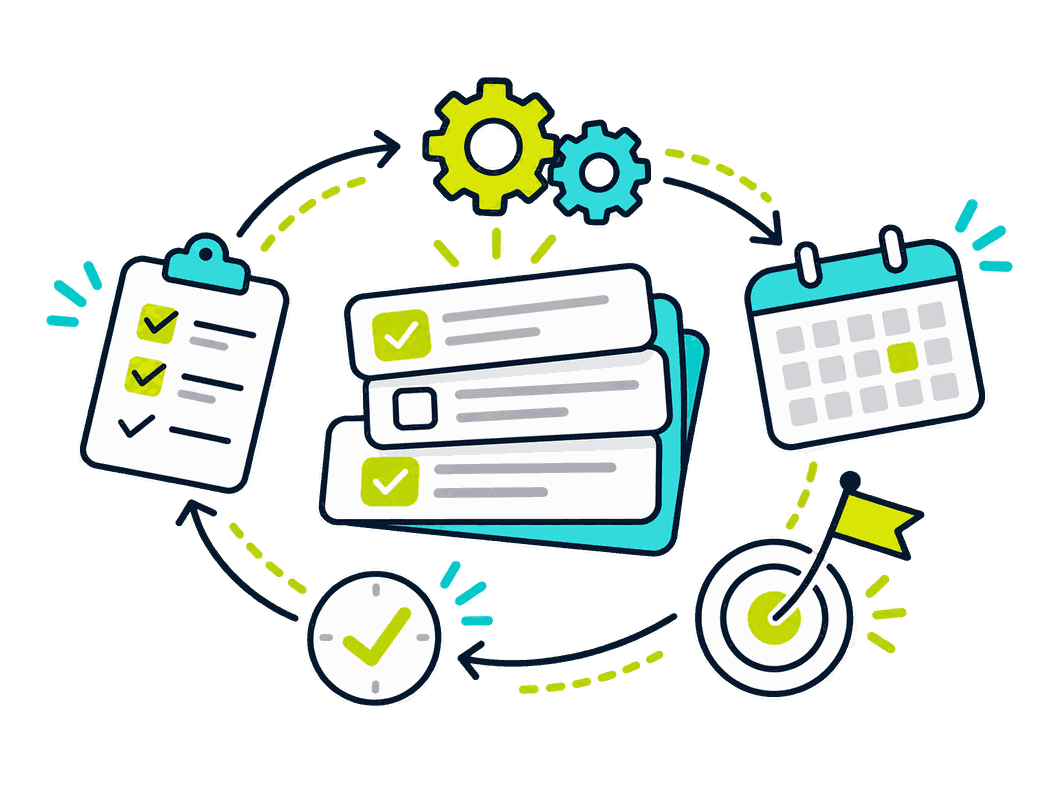
In the workshop, everything is clear. Ideas are on the board, priorities are set and everyone knows what to do. Then the transfer begins. Tasks move into a spreadsheet, a separate tool or an email. Along the way, the context gets lost: why something was decided and what belongs to it. Responsibilities become unclear and the status can only be clarified in the next status meeting.
With Collaboard, there is no such break. Tasks are created directly on the board, next to the ideas and decisions they come from.
How task management works in Collaboard: an example
A project team is planning the relaunch of its intranet. Here is how Collaboard supports the project from the first workshop to ongoing management.
1. Collect ideas in the workshop and turn them into tasks
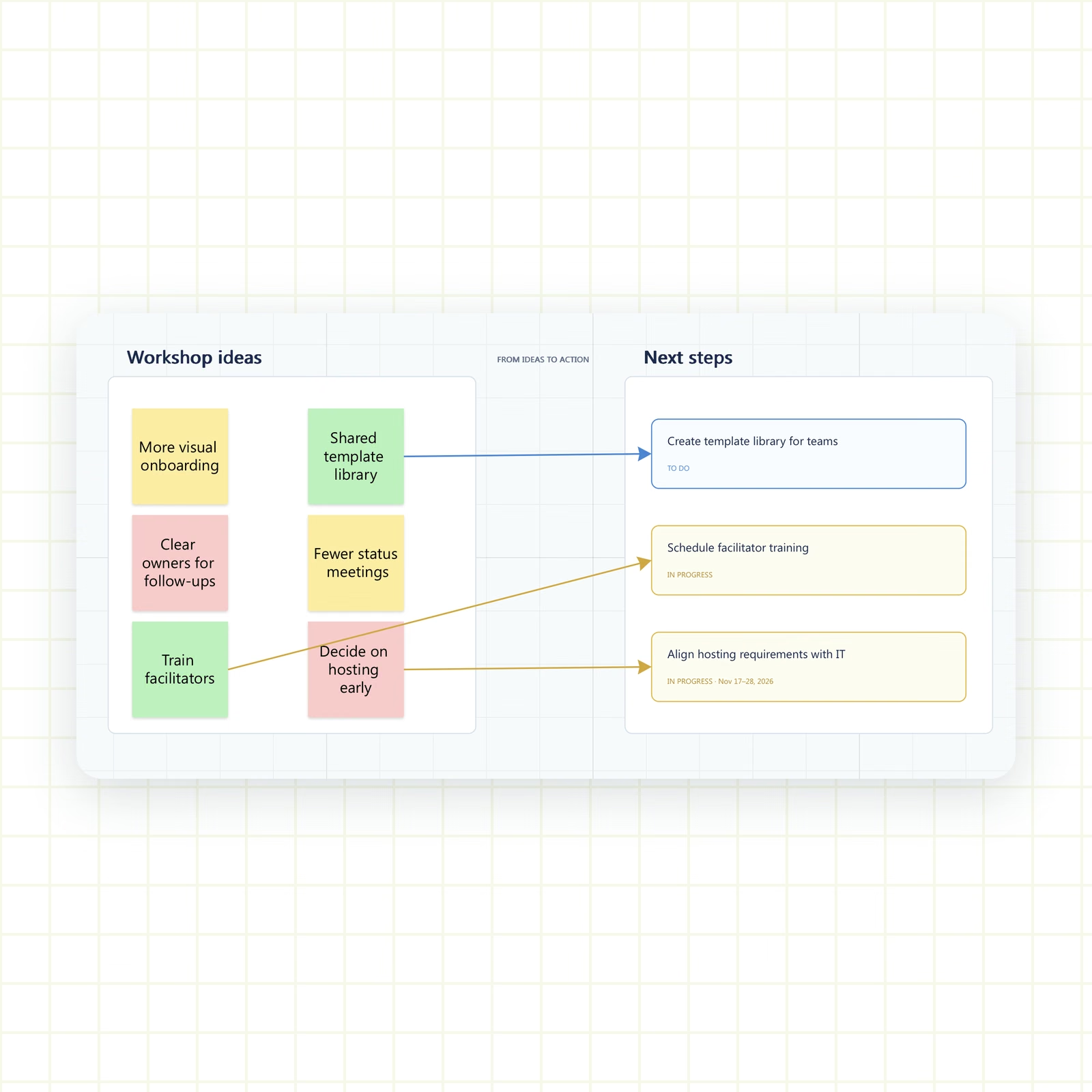
The team collects wishes and ideas on sticky notes and groups them by topic in frames. Whatever is going to be implemented becomes a task right on the board with a title, description, start and end date, status and color. Arrows between tasks show what depends on what. You can find all the details on the page about our task management software.
2. Assign responsibilities
Each task gets an assignee from the board. They are notified by email and directly on the board. So after the workshop, it is clear who is taking care of what and by when.
3. Track progress in the Kanban widget
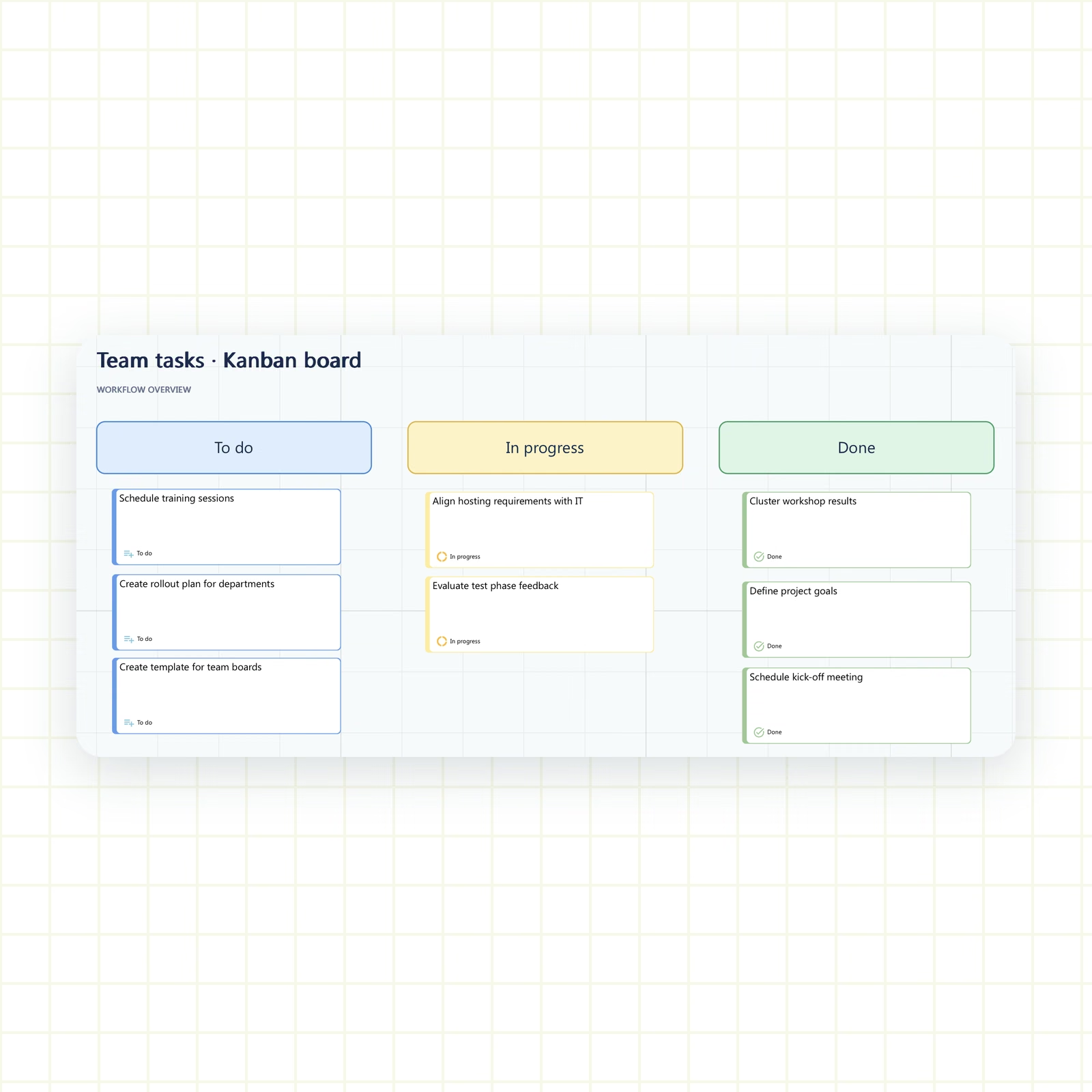
In the Kanban widget on the board, the team moves tasks via drag and drop from “To do” to “In progress” and “Done”. As soon as a task is in the Kanban, it is assigned to the project. Everyone can see at a glance where the project stands. The Kanban board template is a good starting point.
4. Keep track of all projects in the Task Dashboard
The project lead looks after several boards. In the Task Dashboard, they see the tasks from all boards and projects together and switch between list, Kanban and calendar view as needed. The calendar view shows, for example, which deadlines are coming up in the next few weeks. This kind of task tracking across multiple boards is new in Collaboard 10.
5. Stay informed without a status meeting
In their personal InfoPool, everyone sees new tasks, changes on boards and mentions in comments and in the chat. With one click, they jump back to the related content on the whiteboard. The team clarifies questions directly in the comments on the task.
See how your team can manage a project in Collaboard. Request a demo
What teams use task management in Collaboard for
Task management in Collaboard fits teams whose tasks come out of meetings and are spread across several boards.
- Putting workshop results into action: Ideas from a workshop become tasks with an assignee and a deadline in the same session. No result gets lost.
- Preparing and following up on meetings: Agenda items are created as tasks, assigned and followed up after the meeting.
- Closing retrospectives: Insights from the retrospective turn directly into concrete next steps.
- Managing multiple projects: If you look after several boards and teams, the Task Dashboard shows you all tasks across projects. Our article on the work breakdown structure shows how to break a large project down into work packages first.
- Coordinating tasks in regulated organizations: A public authority plans a project with an external service provider and runs Collaboard in its own data center for it. The service provider works on the board with guest access, while the project team assigns tasks to its own board members. The page for the public sector shows more examples.

What makes Collaboard stand out as a task management tool
Many task management tools only start once a task is already defined. A classic task management app shows what needs to be done. Why it needs to be done is usually in another tool. As a task tracking tool, Collaboard brings both together on one board and runs wherever your IT requires it.
- Tasks in context: Ideas, decisions and tasks are on the same board. There is no transfer to another tool.
- Visually structured: Colors, arrows, frames, tables and tags can be combined freely. Every team structures its tasks the way it works.
- Overview of all projects: The Task Dashboard brings together tasks from all boards in list, Kanban and calendar view.
- Hosting on your terms: Collaboard is developed in Switzerland. In the cloud, your data is stored in data centers in Germany, Switzerland or the Netherlands. For stricter policies, you run Collaboard in a private cloud, on-premises or air-gapped without any connection to the internet.
- Clear roles and access rights: Owners, moderators, editors and viewers each get their own permissions. You invite external partners as guests, and single sign-on (SSO) and two-factor authentication (2FA) secure the login. You can find the details on the security page.
- Connected to the tools you already use: With the app for Microsoft Teams, you open the board right in the meeting and assign tasks while everyone is still on the call. In Jira, you embed Collaboard whiteboards. Nextcloud and Confluence can be connected as well.
- AI support via the MCP Server: With the MCP Server, you connect AI assistants such as ChatGPT, Claude or Mistral to Collaboard. The assistant summarizes a workshop board and pulls out action items and decisions. Your team decides which of them become tasks. The MCP Server is in beta and available to selected customers with an Advanced or Enterprise plan.
Using task management in Collaboard
Project management with the Task Dashboard, Kanban widget and InfoPool is available as an add-on for all paid plans. In a demo, we show you how your team can work with it and which option fits.
From workshop to completed task, on one board. Try Collaboard for free or Request a demo
On This Page
Turn this use case into your own whiteboard
Create a free Collaboard account and start working visually with your team today.
No credit card required
Start your next whiteboard now
Get a free trial of Collaboard with up to 3 boards and five people per session. All key features are available for you to try out.