Mind Map Template
Start with a central topic and branch out into ideas, subtopics and details. A mind map helps you collect thoughts, see connections and structure complex topics.
Free to start · Swiss-made · GDPR compliant

Building a mind map from the center outward
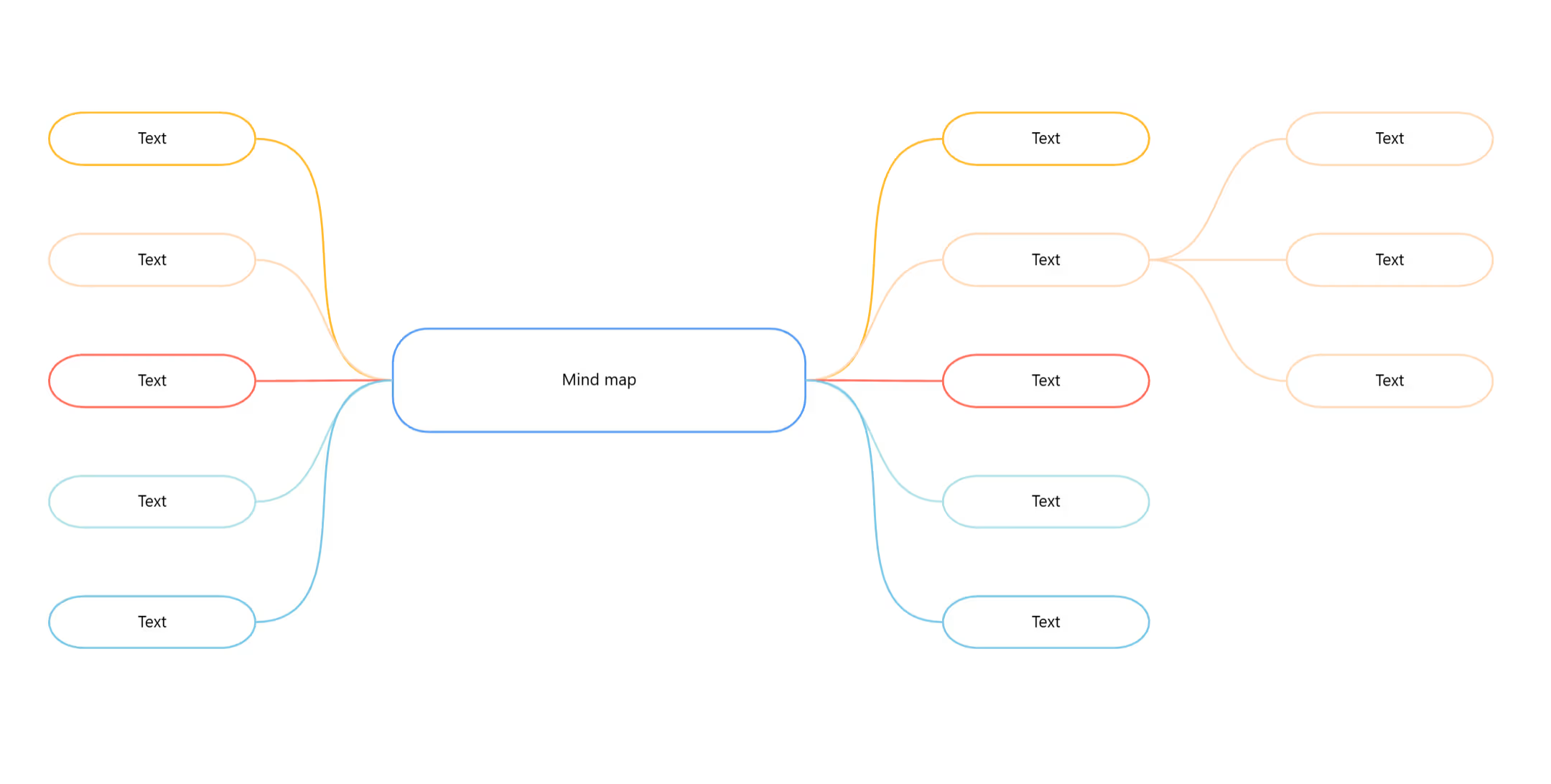
The template gives you an easy start: a central topic with the first branches already in place. It is built with the Collaboard mind map module, so you add new nodes with one click or even faster with keyboard shortcuts. On the infinite canvas, your mind map can grow to the left and right without any space restrictions.
Set the central topic
Replace the text in the middle with your topic or question, for example: Launching our new website.
Name the main branches
Write the most important subtopics into the nodes around the center. Delete the branches you don't need.
Add sub-branches
Select a main branch and add details, examples and ideas with one click or a keyboard shortcut.
Show connections
Label a connection to explain how two ideas relate, or add images and sticky notes where they help.
Adjust the layout
Switch between horizontal and vertical alignment, change the colors of nodes and connectors, or add arrows to the connectors. Collapse branches to keep the overview and expand them again when needed.
Review together
Go through the mind map with your team, move branches where needed and agree on next steps.
What is a mind map?
A mind map is a visual diagram that starts with a central topic. Main branches lead to subtopics, which branch out further into details. The tree structure mirrors how we naturally connect ideas.
Mind maps are used for brainstorming, note taking, planning and learning. On an online whiteboard, a team can build a mind map together and rearrange it at any time.
What mind maps are good for
- Brainstorming Collect ideas on a topic and see how they connect.
- Project planning Break a project into areas, tasks and details.
- Learning and note taking Summarize a topic in a way that's easy to remember.
- Presentations Plan the structure of a talk or a document.
Short keywords, colors and a clear center
- Start in the middle Write the central topic first and work outward.
- Use keywords Short words are easier to scan than full sentences.
- Work with colors Give each main branch its own color to keep the overview.
- Rearrange freely On a whiteboard, branches can be moved at any time as the structure evolves.
Why Collaboard
A Swiss-made online whiteboard for teams that care where their data lives.
Your data stays in Europe
Choose hosting in Switzerland, Germany or the EU, fully GDPR compliant. Or run Collaboard on your own servers.
Invite anyone with a link
Guests join your board for free, right in the browser. Nothing to install, no extra licenses for participants.
Made in Switzerland, with real support
Collaboard is developed in Switzerland. When you need help, you talk to people who know the product.
Frequently asked questions
Is the mind map template free?
Yes, the mind map template is free to use with a Collaboard account. The free plan includes up to 3 boards and five people per session.
What is a mind map used for?
A mind map is used to collect ideas, structure topics and show connections, for example in brainstorming, planning or learning.
Who invented the mind map?
The mind map method was popularized by Tony Buzan in the 1970s.
What is the difference between a mind map and a concept map?
A mind map grows from one central topic. A concept map shows relationships between several concepts and labels each connection.
Can several people work on a mind map at the same time?
Yes, several people can edit the same mind map in Collaboard in real time.
Start your next whiteboard now
Get a free trial of Collaboard with up to 3 boards and five people per session. All key features are available for you to try out.