
Move beyond one-way presentations. Let students contribute ideas, solve problems together, give feedback and participate directly in lessons and lectures.
COLLABOARD FOR EDUCATION
Secure visual collaboration for teaching and learning
Create interactive lessons, collaborative learning spaces and reusable teaching materials in one secure workspace. Designed for schools, universities and other educational institutions.

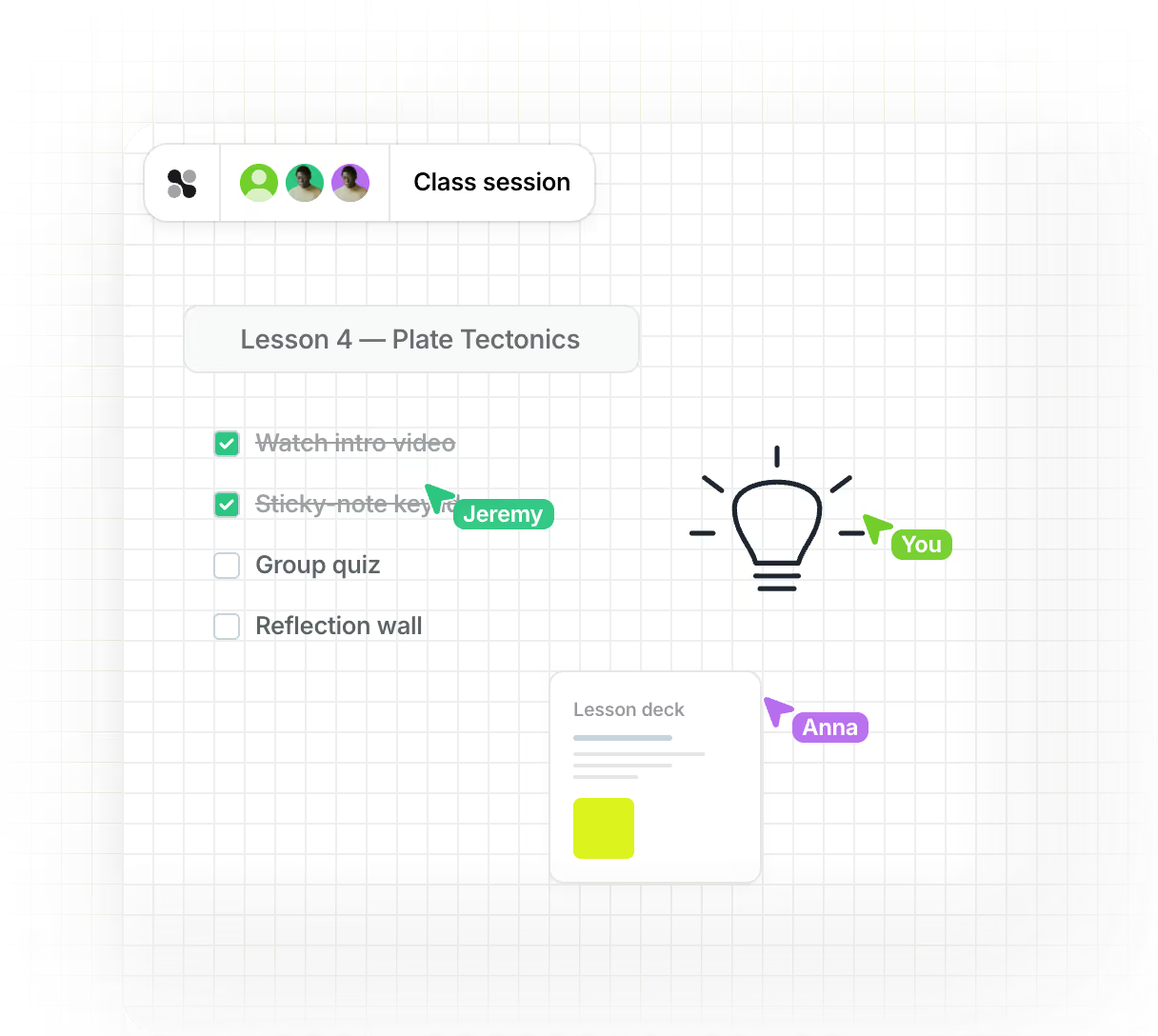
Make learning more interactive: Bring lessons, lectures and group work to life with visual, collaborative activities.
Save time with reusable learning spaces: Prepare content once, reuse boards and templates, and keep everything ready for the next class or course.
Built for education requirements: GDPR-compliant collaboration, flexible hosting options and the controls institutions need for secure digital learning.
Trusted by schools, universities and educational institutions across Europe

















One visual workspace for teaching, learning and collaboration
Collaboard helps educators turn lessons, lectures and workshops into engaging visual experiences. Prepare content, involve learners actively and keep everything organized in one reusable workspace.

Engage learners actively

Make complex topics easier to understand
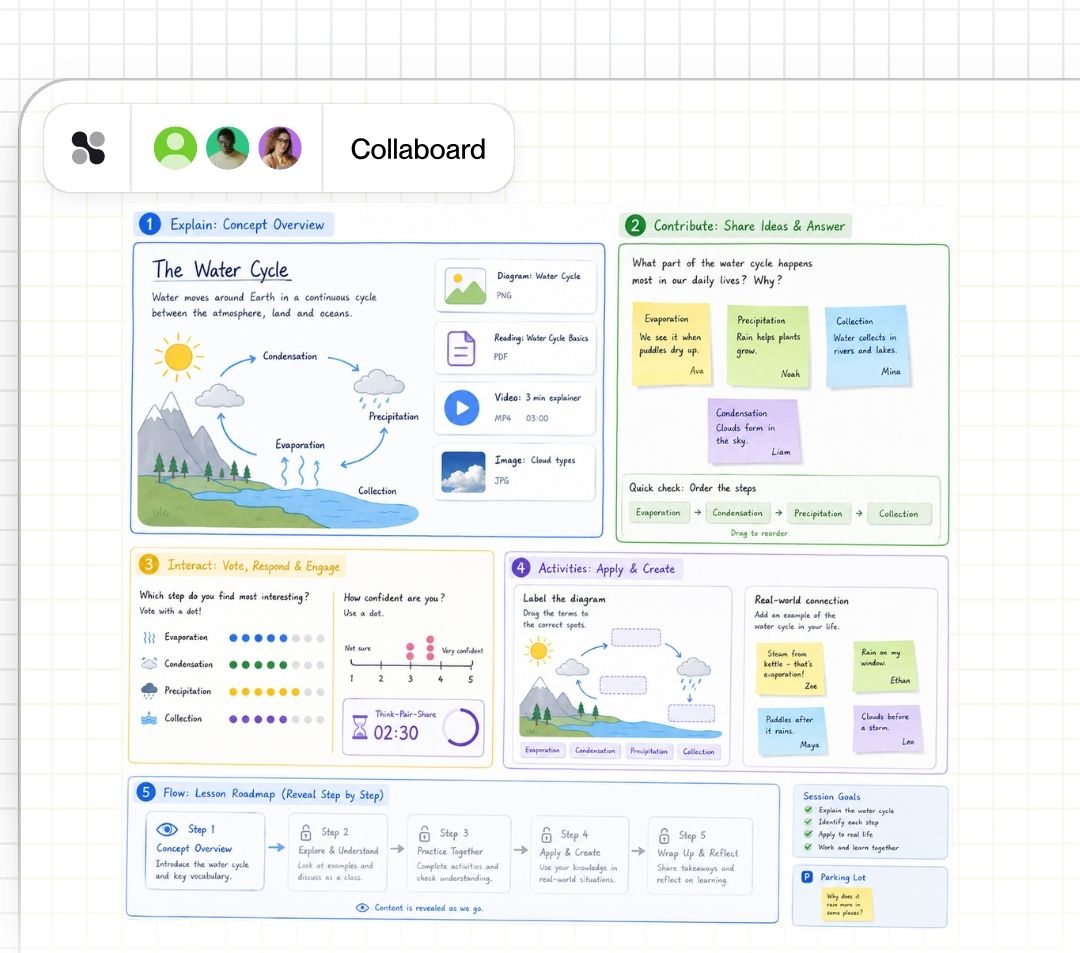
Explain concepts visually with diagrams, mind maps, drawings, images and multimedia content — all in one shared workspace.

Prepare once. Reuse again and again.
Create boards and teaching materials once, adapt them for different classes or courses, and save valuable preparation time.
One workspace. Many ways to teach, learn and collaborate.
From interactive lessons and student projects to course preparation and academic workshops, Collaboard gives educators and learners a flexible visual space to work together.
Turn lessons into active learning experiences
Bring your content onto one visual canvas and involve learners directly instead of relying on one-way presentations.
Explain concepts visually with diagrams, images, documents and multimedia
Let students contribute ideas, answer questions and add content in real time
Use voting, timers and facilitation tools to keep sessions interactive
Prepare activities in advance and reveal content when you need it
Give students a shared space to think and create together
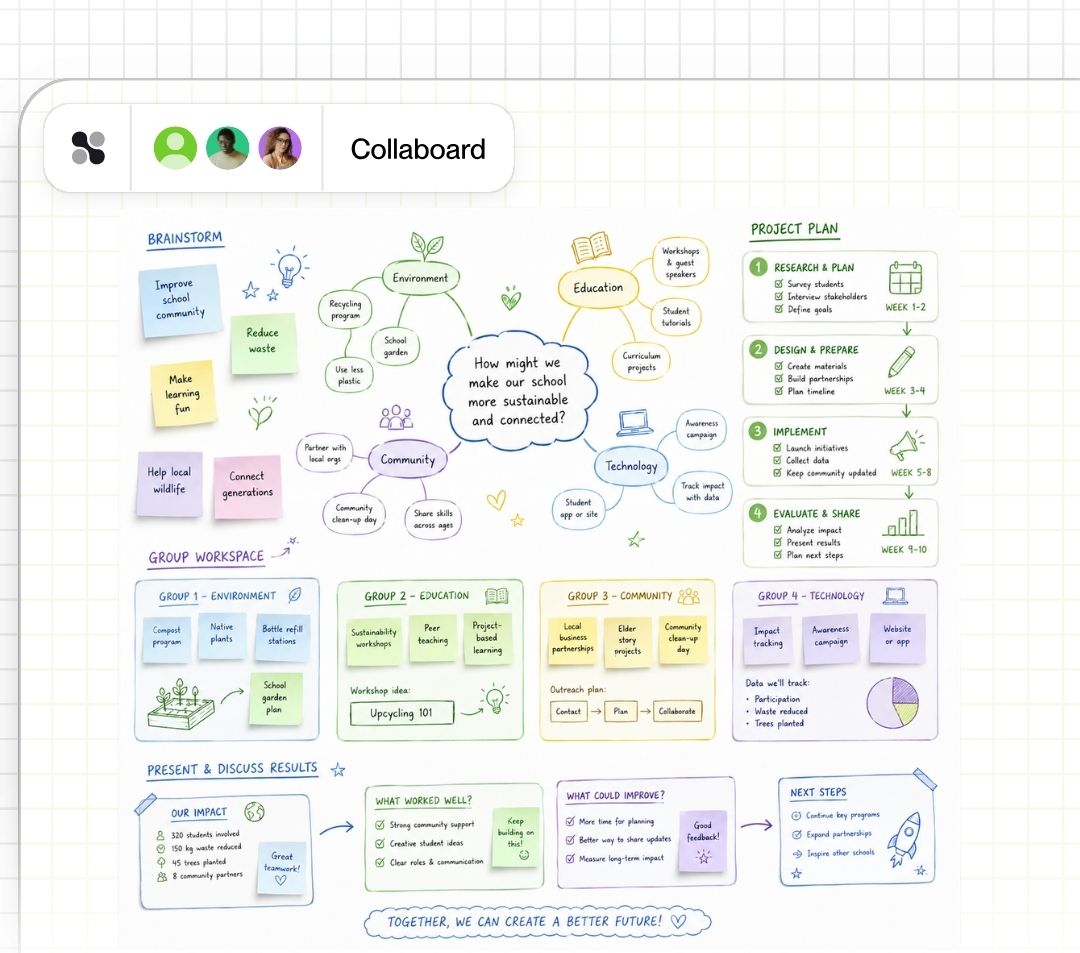
Let learners develop ideas, solve problems and document their work collaboratively, whether they are in the same classroom or working remotely.
Brainstorm and organize ideas together
Create mind maps, diagrams and visual project plans
Divide work between groups while keeping everything in one workspace
Present and discuss results directly on the board
Prepare once. Adapt and reuse whenever you need it.
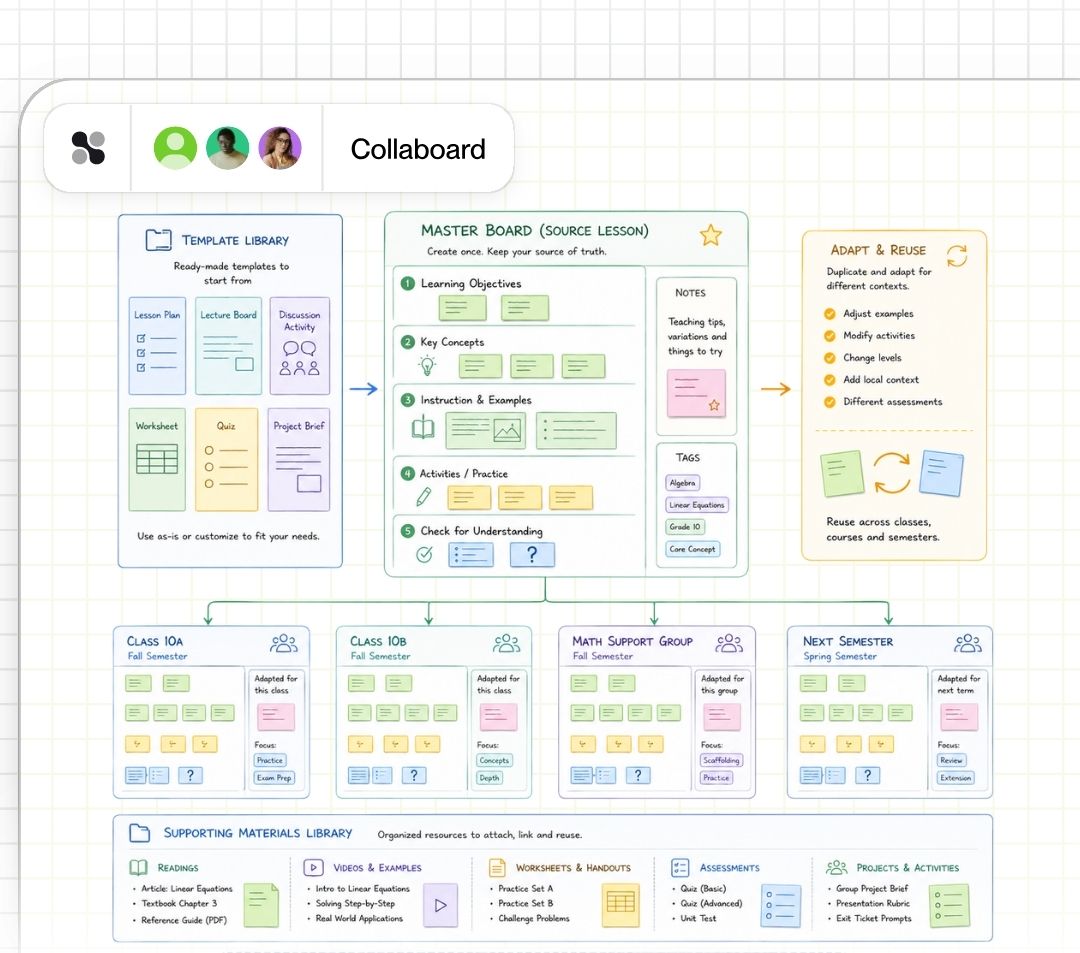
Build structured learning spaces, activities and teaching materials that you can reuse across classes, courses and semesters.
Start from ready-made education templates or create your own
Duplicate boards for new classes and learning groups
Combine instructions, exercises and supporting material in one place
Keep frequently used teaching resources organized and ready to use
Collaborate beyond the classroom
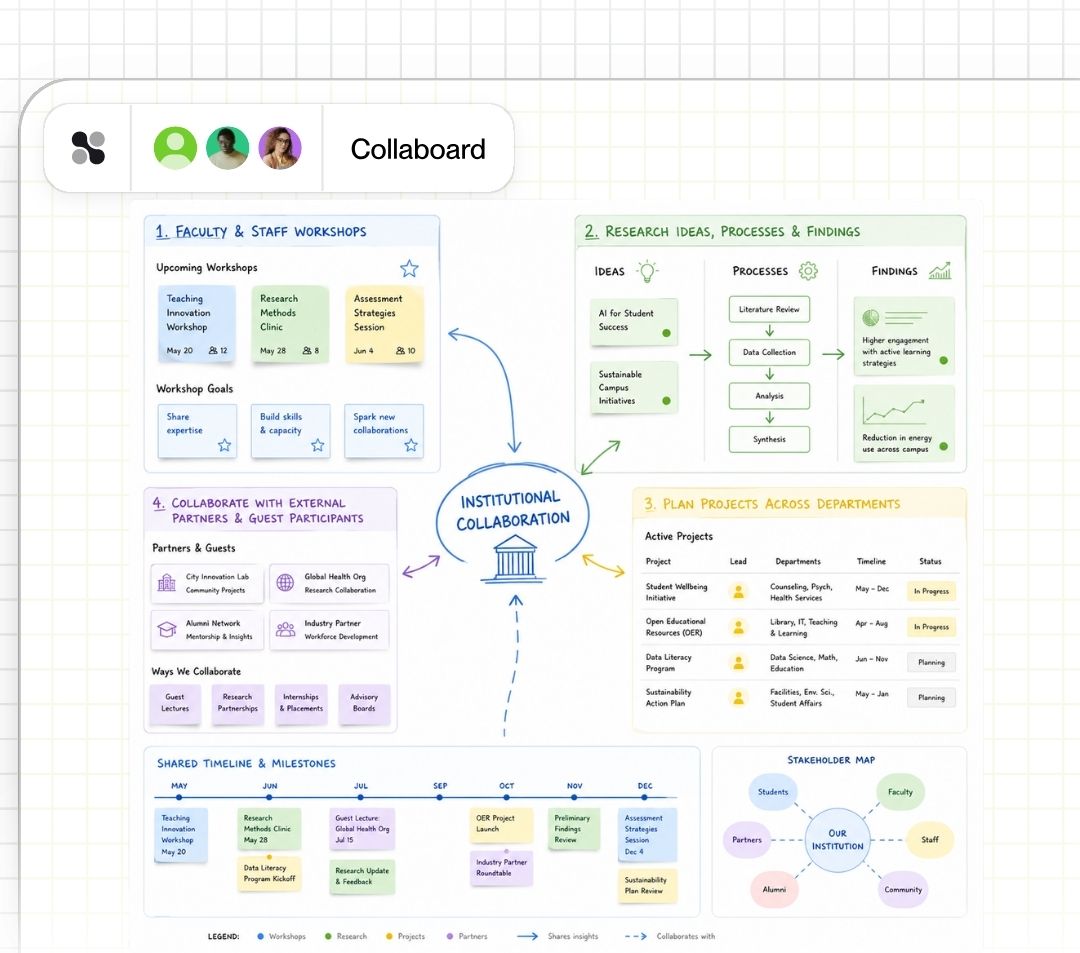
Use Collaboard across the wider educational institution for workshops, research projects, planning sessions and interdisciplinary collaboration.
Facilitate faculty and staff workshops
Visualize research ideas, processes and findings
Plan projects and initiatives across departments
Collaborate with external partners and guest participants
Everything you need for interactive and structured learning
From spontaneous classroom activities to carefully prepared courses, Collaboard gives educators the tools to create engaging learning experiences while staying in control of the workspace.


Interactive visual collaboration
This is some text inside of a div block.
Bring ideas and learning content together with sticky notes, drawings, diagrams, mind maps, images, documents and multimedia.

Teaching & facilitation controls
This is some text inside of a div block.
Guide learners through activities with presentation tools, timers, voting and moderation features. Lock or hide content to control what participants can see and change.

Easy learner participation
This is some text inside of a div block.
Invite students and external participants to collaborate without unnecessary barriers. Guest access makes it easy to involve people without requiring every participant to manage a dedicated account.

Reusable boards & templates
This is some text inside of a div block.
Create your own teaching materials or start with ready-made templates. Duplicate and adapt boards for new classes, courses and learning groups.

Feedback & reflection
This is some text inside of a div block.
Collect ideas, opinions and feedback directly on the board. Use voting and visual activities for reflection, evaluation and collaborative decision-making.

Control for educational institutions
This is some text inside of a div block.
Manage permissions, authentication and access centrally. Adapt Collaboard to institutional requirements and integrate it into your existing digital environment.
Our customers love Collaboard

„I am very impressed with Collaboard and now work more than ever with the digital whiteboard. I previously used a different online whiteboard and am very happy about the change.“
Dr. Martina Braasch
Founder Dr. Martina Braasch Akademie

"The biggest benefit for everyone is worry-free use that complies with data protection regulations. Teachers are no longer limited in any way and are now making full use of the tool in their teaching."
Jacqueline Gerland
IT Customer Service Team Lead

„In addition to creative activities such as mind maps and brainstorming sessions, we use Collaboard to discuss the homework for the individual lectures and use Collaboard as a whiteboard.“
Robin Pape
Student Business Informatics FOM Düsseldorf
The questions your IT and data-protection team will ask first
Introducing a collaboration platform in education means more than evaluating features. IT teams, data-protection officers and administrators need to know where data is stored, who can access it and how the platform fits into existing infrastructure.

Where is our data hosted?
Choose a deployment option that matches your institution’s requirements, including European cloud hosting and self-hosted environments.

How do we control access?
Manage who can access boards, what participants are allowed to do and how users authenticate.

Can students participate without creating accounts?
Guest access makes it possible to involve students, workshop participants or external partners without requiring an individual Collaboard account for every participant.
Can we integrate Collaboard with our existing identity infrastructure?
Support for centralized authentication and Single Sign-On helps institutions integrate Collaboard into their existing user-management environment.
Can we control which functionality is available?
Administrators can configure Collaboard according to organizational requirements and restrict functionality where necessary.

What information is available for our data-protection review?
Collaboard provides security and data-protection documentation to support internal reviews, procurement processes and institutional approval.
Documentation for your security and data-protection review
Give your IT, procurement and data-protection teams the information they need to evaluate Collaboard.
Data Processing Agreement (DPA)
Clear contractual documentation for your privacy and GDPR review.
Technical and Organizational Measures (TOMs)
Documented technical and organizational safeguards covering the security of your data.
Security certifications
Access relevant certifications and security documentation for Collaboard and its hosting environments.
Data residency & subprocessors
Understand where data is processed and which service providers are involved.
Business continuity & availability
Review information about backups, redundancy, recovery and service availability.
Education plans for every level
Introducing a collaboration platform in education means more than evaluating features. IT teams, data-protection officers and administrators need to know where data is stored, who can access it and how the platform fits into existing infrastructure.

For individual educators
Start using Collaboard for your own lessons, courses and learning activities.

For schools & departments
Give teaching teams a shared visual collaboration environment with centralized administration.
.png)
For universities & larger institutions
Roll out Collaboard across departments and use cases with enterprise-level administration, security and deployment options.
Start your next whiteboard now
Get a free trial of Collaboard with up to 3 boards and five people per session. All key features are available for you to try out.

