
Intuitive user interface where you can get started right away without much effort. No app to install, use it directly in your web browser.
Kanban board template
Create a custom Kanban board in record time with just one click using our free template! – efficient task management has never been so easy and fast.
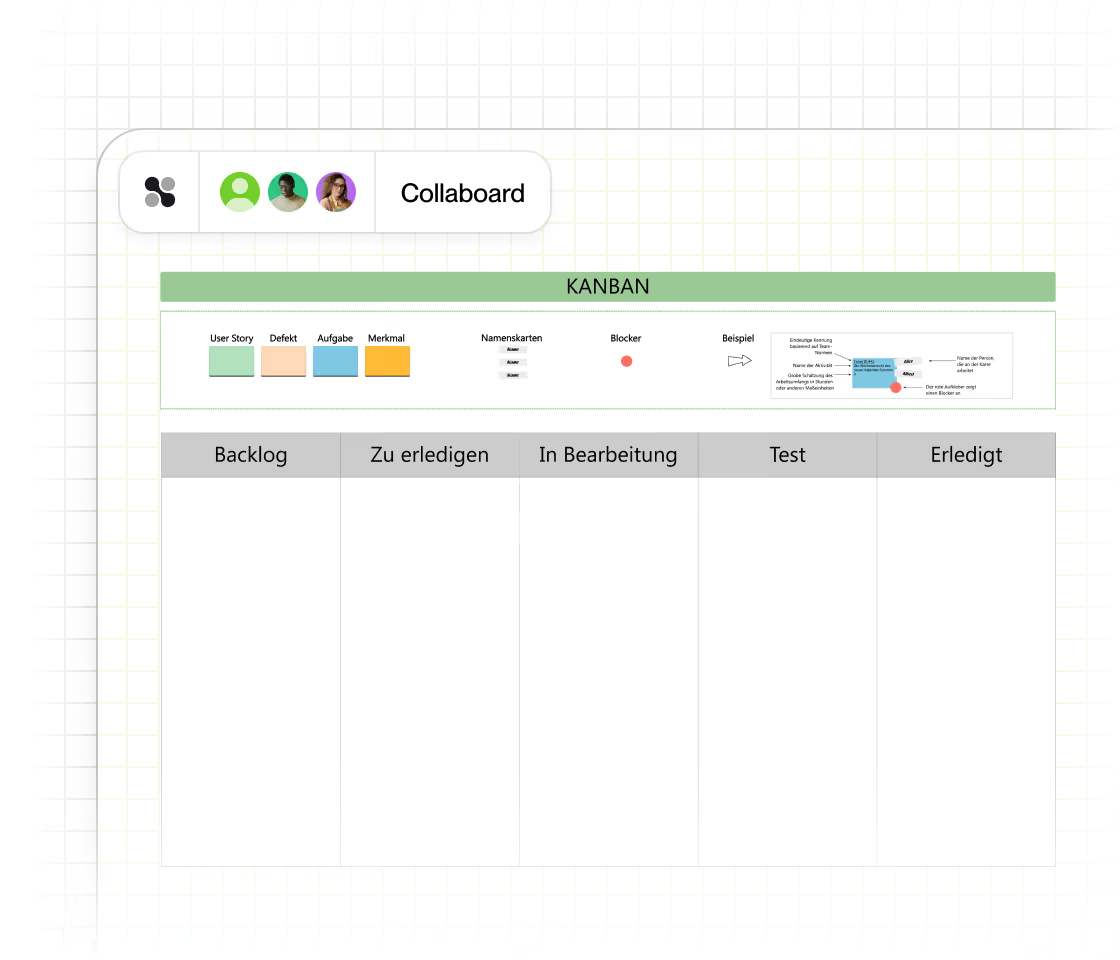















































About the template for Kanban boards
A Kanban board visualizes the workflows and tasks within a project or department. It illustrates different phases of the work process using columns or other graphical elements. These elements can include not only the work phases themselves, but also details about tasks, deadlines, responsibilities, as well as photos, contact information, and notes.
Collaboard offers ready-to-use Kanban board templates.
.avif)
Kanban board templates in Collaboard
Over 2 million people trust Collaboard and use the online whiteboard and over 150 templates.
Why is a Kanban board template important?
Using a Kanban board provides a clear overview of the progress and status of tasks within a team or project. Other reasons for using a Kanban board include:
- New team members quickly gain an overview of current and upcoming tasks.
- Work processes and responsibilities are transparent and comprehensible for all involved.
- Bottlenecks in the work process are quickly identified, and the Kanban board supports the efficient restructuring of workflows.
How do you use the Kanban board templates in Collaboard?
- Use one of our pre-made Kanban board templates. Decide whether you want to use columns and task cards or other visual elements like different colors to categorize tasks. Define which colors and priority levels the different tasks on your Kanban board should have.
- Now add tasks, deadlines, and responsibilities. You can also use checklists or even file attachments.
- Further customize the Kanban board and invite other team members to add content as well. If you create the Kanban board in Collaboard, you can dynamically adjust it at any time and access it from anywhere.
- If you want to share the Kanban board with someone, either invite that person to your whiteboard or export the board as an image or PDF.
Why Collaboard

Easy to use

Highest data security
Collaboard offers GDPR-compliant data hosting in Europe, Germany or Switzerland of your choice.

Numerous integrations
Collaboard can be easily integrated into your existing video conferencing and collaboration solution.
Kanban Board Template: Frequently Asked Questions and Answers
Any questions? We are here to help.
A Kanban board template is a pre-structured task management tool that typically includes columns like "To Do," "In Progress," and "Done" to visually represent the progress of tasks.
You use a Kanban board template by entering tasks as cards in the appropriate columns and moving them through the workflow, from "To Do" to "In Progress" to "Done."
A Kanban board template is suitable for teams and individuals looking for a visual and flexible method to track workflows and projects.
Yes, Kanban boards can be used across industries, as they offer a universal method for visualizing and organizing workflows.
A Kanban board template helps increase productivity by providing a clear overview of pending, in-progress, and completed tasks, and by making bottlenecks in the workflow visible.
Yes, Kanban board templates are often customizable, so they can be adapted to the specific needs of a project or team, for example by adding additional columns or categories.
Yes, a Kanban board template promotes team collaboration by allowing all team members to track project progress and coordinate tasks together.
Start your next whiteboard now
Get a free trial of Collaboard with up to 3 boards and five people per session. All key features are available for you to try out.

