
Feedback Tree Template
Collect feedback at the end of a workshop or training with one simple picture. The feedback tree asks four questions: what was helpful, what was less helpful, what participants take with them and what they leave behind.
Free to start · Swiss-made · GDPR compliant

How to use the feedback tree template
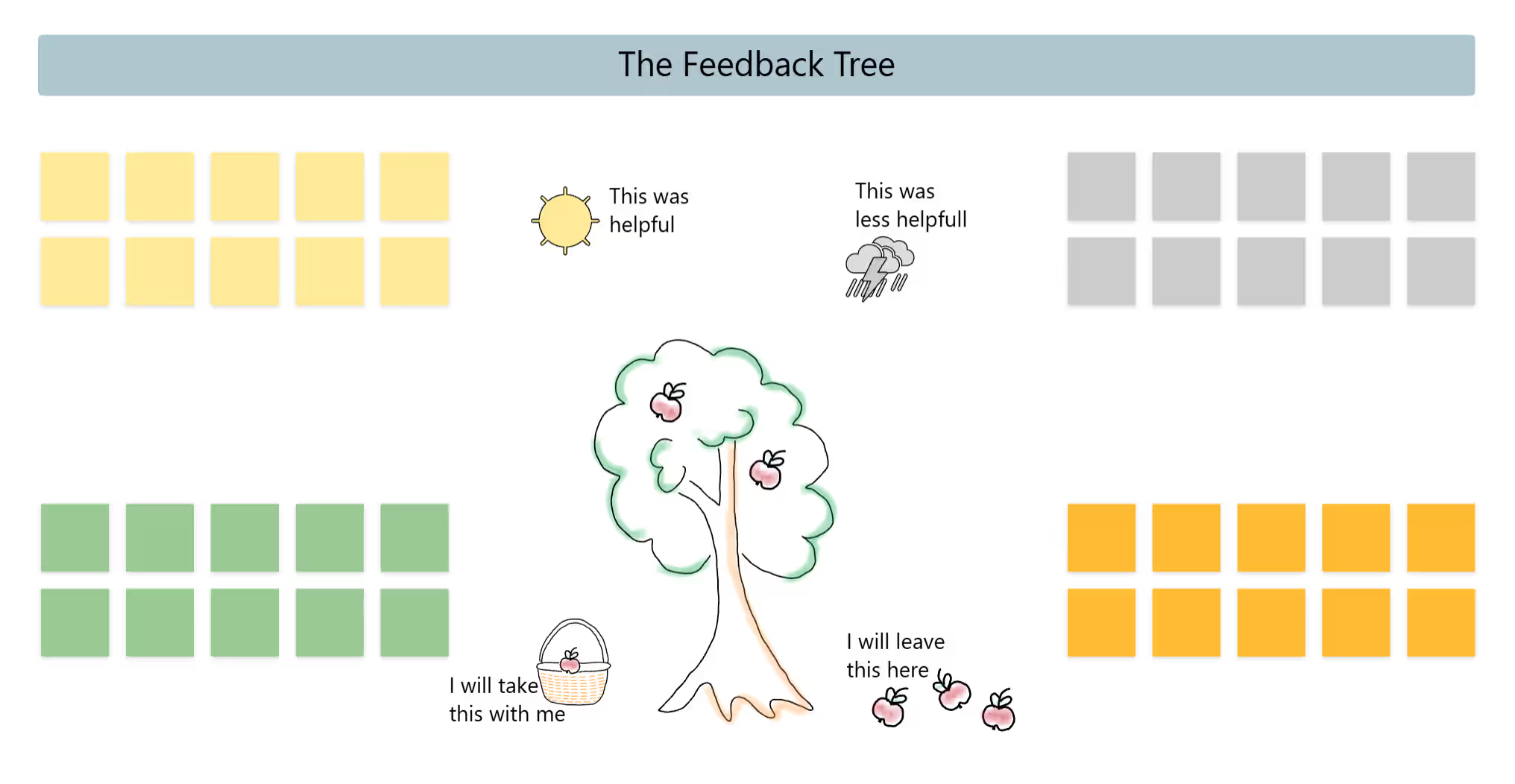
The Collaboard template shows an apple tree in the center, with a sun, a storm cloud, a basket and fallen apples marking the four areas. Each area has its own color of sticky notes already in place: yellow for helpful, grey for less helpful, green for what participants take with them and orange for what they leave here.
Introduce the tree
Walk through the four areas briefly, so everyone knows where to put what.
Write silently
Everyone writes on the notes in the matching color, one point per note.
Read the sun and the cloud
Go through what was helpful and what was less helpful, and group similar notes.
Look into the basket
Read what participants take with them. This shows the practical value of the session.
Check the fallen apples
See what participants leave behind. Content many people don't need can be shortened next time.
Improve the next session
Agree on one or two changes for the next session and thank everyone for their feedback.
What is the feedback tree?
The feedback tree is a visual feedback method for the end of a workshop, training session or meeting. An apple tree sits in the middle of the board, surrounded by four questions about what was helpful, what was less helpful, what participants take with them and what they leave behind. The picture makes feedback feel light, while the questions cover both the session and its practical value.
The four areas of the template
The examples follow one illustrative scenario: feedback after a one-day training on presentation skills.
- This was helpful (sun) What worked well. Example: the practice rounds with video feedback.
- This was less helpful (storm cloud) What didn't work as well. Example: the long theory block before lunch.
- I'll take this with me (basket) Ideas and tools participants will use. Example: the three-part structure for short talks.
- I'll leave this here (fallen apples) What participants don't need. Example: design tips for software the team doesn't use.
If you want more detailed feedback with five questions, 5 finger feedback goes further.
When to use this template
- Workshop wrap-ups Collect feedback before participants leave.
- Training sessions Find out what participants learned and what they will apply.
- Team events Reflect on an offsite, a kickoff or a team day.
- Online events Everyone adds notes to the same board, wherever they are.
Tips for a good session
- Explain the four areas Walk through the picture before you start, so everyone knows where to put what.
- Write first, then talk Give everyone a few minutes to add notes before you discuss the results.
- One idea per note Short notes are easier to read and to group.
- Act on it Use the less helpful area to improve your next session.
Why Collaboard
A Swiss-made online whiteboard for teams that care where their data lives.
Your data stays in Europe
Choose hosting in Switzerland, Germany or the EU, fully GDPR compliant. Or run Collaboard on your own servers.
Invite anyone with a link
Guests join your board for free, right in the browser. Nothing to install, no extra licenses for participants.
Made in Switzerland, with real support
Collaboard is developed in Switzerland. When you need help, you talk to people who know the product.
Frequently asked questions
Is the feedback tree template free?
Yes, the feedback tree template is free to use with a Collaboard account. The free plan includes up to 3 boards and five people per session.
What is the feedback tree used for?
The feedback tree is used to collect structured feedback at the end of a workshop, training session or meeting, in a light and visual way.
How long does a feedback tree round take?
A feedback tree round usually takes 10 to 20 minutes, depending on group size and how much you discuss the results.
Can feedback on the feedback tree be anonymous?
Yes, participants can add sticky notes to the feedback tree without their names, which encourages honest feedback.
What is the difference between the feedback tree and 5 finger feedback?
Both methods collect structured feedback. The feedback tree uses four questions and one picture, while 5 finger feedback uses five questions linked to the fingers of a hand.
Start your next whiteboard now
Get a free trial of Collaboard with up to 3 boards and five people per session. All key features are available for you to try out.

