
Collaboard 9.7: A New Name, More Flexibility, and the Next Step Towards Visual Project Management
Collaboard 9.7 introduces a new naming convention, more creative image cropping options, and a customizable toolbar that gives you greater flexibility in how you work. While this is a minor release, it also lays the foundation for Collaboard 10, where visual collaboration and project management will come together in one platform.


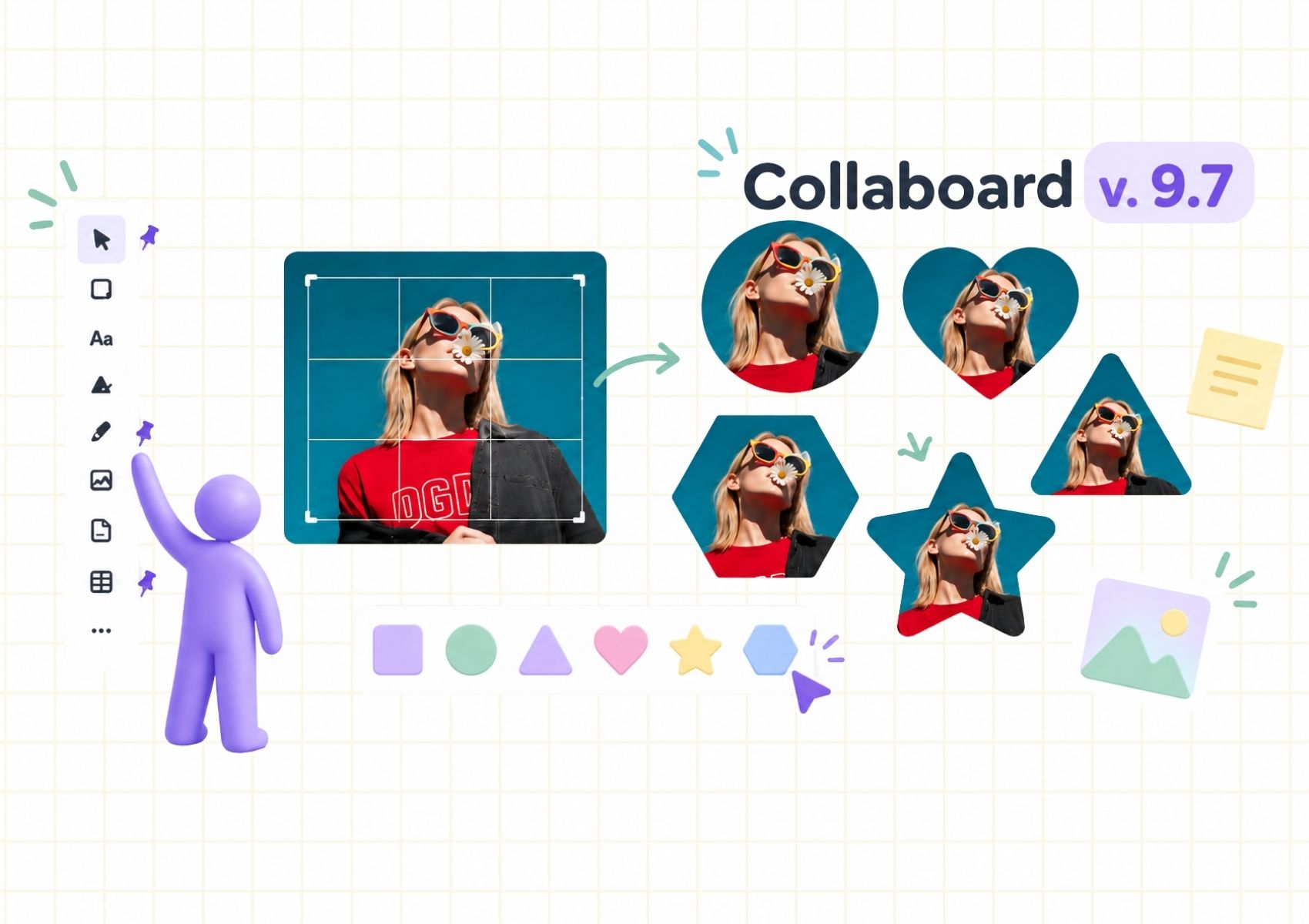

Sometimes, a minor release introduces changes that go beyond new features and improvements. Collaboard 9.7 is one of those releases.
With version 9.7, we are introducing a new naming convention for our whiteboards, giving users more freedom to customize their toolbar, and expanding the possibilities for working with images on the canvas.
While these improvements make Collaboard more flexible and easier to use, they also prepare the platform for something bigger: the introduction of new visual project management capabilities with Collaboard 10.
Let's take a closer look at what is changing and why.
From Projects to Boards: A Small Change With a Bigger Purpose
Since the early days of Collaboard, we have called our whiteboards "Projects."
We deliberately chose this name because we always felt that what people do on a digital whiteboard goes far beyond traditional whiteboarding.
A Collaboard Project can be a place to run workshops, develop ideas, visualize complex processes, plan activities, or collaborate with colleagues and customers. In many cases, a whiteboard becomes a central workspace where teams organize their work and move ideas forward.
However, as Collaboard continues to evolve, the distinction between a whiteboard and a project becomes increasingly important.
With Collaboard 10, we are planning to introduce a new set of project management capabilities that will allow teams to create and manage projects, organize tasks, and connect their project management activities directly with their whiteboards.
To make this possible, we need to establish a clear distinction between the two concepts.
Starting with Collaboard 9.7, what was previously called a "Project" will simply be called a "Board."
This change allows us to reserve the term "Project" for the new project management capabilities coming with version 10.
What does this mean for existing users?
For existing Collaboard users, the change is straightforward.
Your existing Projects will now be referred to as Boards. The way you work with them remains the same.
There is no need to migrate your content, reorganize your existing boards, or change how you collaborate with your team.
All existing whiteboard functionality remains available. Only the naming convention changes.
Although this might seem like a small adjustment, it is an important step towards a more comprehensive platform that combines visual collaboration with structured project management.
More Creative Possibilities: Crop Images Into Different Shapes
Images play an important role in visual collaboration, helping teams communicate ideas, create engaging workshops, and make their boards more interactive.
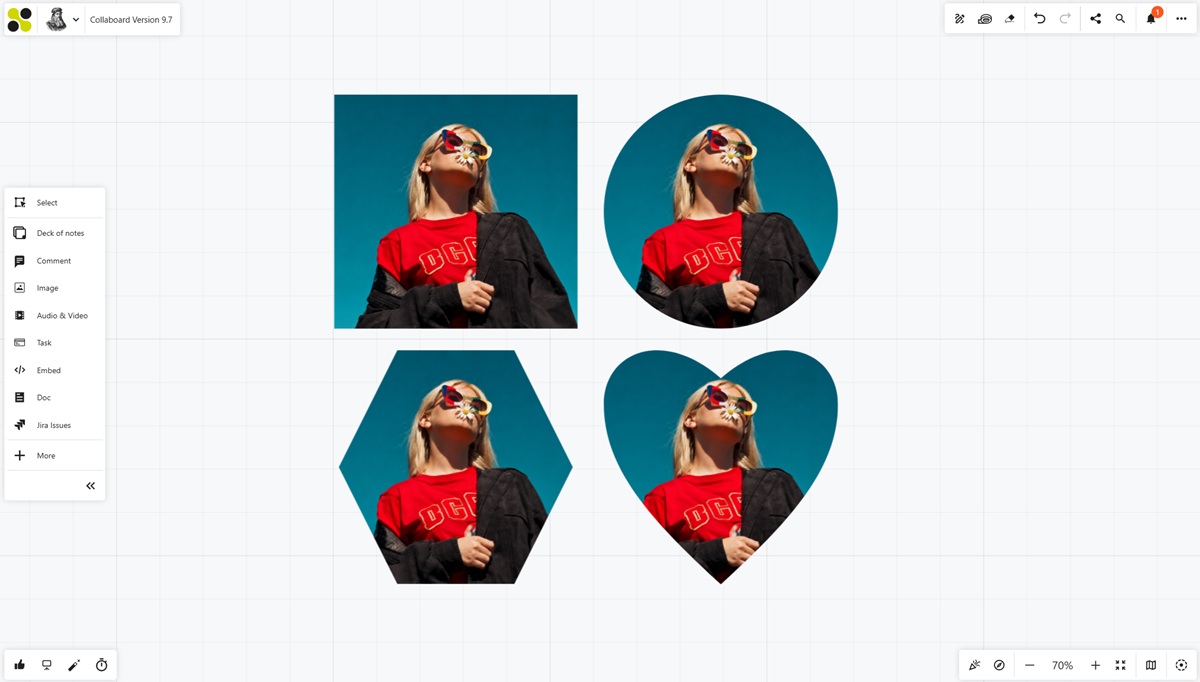
With Collaboard 9.7, we are expanding the existing image cropping functionality. In addition to square and rectangular cropping, you can now crop images into circles, triangles, hearts, stars, and hexagons.
Circular cropping is particularly useful for creating profile pictures and avatars for workshops, organizational charts, or team introductions. Other shapes give you more creative freedom when designing visual content and workshop templates.
Hexagonal cropping opens up some particularly interesting possibilities. By arranging hexagonal images next to each other, you can create honeycomb structures or even interactive game boards directly on your Collaboard. This makes it easier to introduce gamification into workshops, training sessions, and other collaborative activities.
What's Next? Collaboard 10 and the Future of Visual Project Management
Collaboard 9.7 is an important step in preparing the platform for our next major release.
With Collaboard 10, we are planning to introduce a new generation of visual project management capabilities that will bring project planning and execution closer to the collaborative whiteboard experience.
Today, many teams use digital whiteboards to develop ideas, run workshops, and plan projects. However, once the workshop is over, the results often need to be transferred into a separate project management tool.
Tasks are recreated, information is copied, and valuable context from the original collaboration can get lost along the way.
We want to make this process more seamless.
Our vision is to create a platform where teams can move naturally from brainstorming and planning to organizing tasks, coordinating activities, and managing their projects.
Where facilitation and project management meet
With Collaboard 10, we are bringing together two areas that naturally belong together: facilitation and project management.
The upcoming capabilities will include new options for creating and managing projects, working with Kanban boards, organizing tasks, and connecting project management activities with the visual content on your whiteboards.
Teams will be able to manage projects and their associated boards within the same platform, bringing more structure to their work without losing the flexibility of visual collaboration.
We are also working on project management overviews that will make it easier to keep track of tasks across different projects and boards.
Imagine facilitating a workshop, developing an action plan together with your team, and then continuing to organize and manage the resulting activities without having to switch to another platform.
That is the direction we are taking with Collaboard 10.
Collaboard is evolving into the platform where facilitation and project management meet, bringing visual collaboration, project planning, and execution together in one place.
Read more about Colalboard 10 and visual project management.
On This Page

Start for free with Collaboard
Create your first online whiteboard, invite others and start collaborating visually.
You can use Collaboard for free and upgrade later whenever your needs grow.
*No credit card required
Michael Görög
Co-Founder Collaboard
Michael Görög is co-founder of Collaboard and is passionate about digital collaboration, visual work and the future of teamwork. He regularly shares practical insights on online whiteboards, collaboration methods, AI and new ways of turning ideas into action.

.jpg)
Frequently asked questions
Any questions? We are here to help.
With Collaboard 10, we are introducing new project management capabilities that will allow teams to create and manage projects separately from their whiteboards. Renaming existing Projects to Boards creates a clear distinction between the two and prepares the platform for these upcoming features.
No. Your existing Projects will simply be called Boards. All your content and existing whiteboard functionality remain unchanged, and no migration or additional action is required.
Yes. The redesigned toolbar allows you to pin the tools you use most frequently and hide those you don't need. This helps you create a workspace that fits your individual workflow.
No. Version 9.7 introduces the naming change and prepares the platform for the upcoming project management capabilities. Features such as Kanban boards, project and task management, and cross-project task overviews are planned for Collaboard 10.
Subscribe to the newsletter
Stay up to date with the latest tips and news on collaboration.
Start your next whiteboard now
Get a free trial of Collaboard with up to 3 boards and five people per session. All key features are available for you to try out.

