Idea board: collect, sort and develop ideas visually together
Want to capture ideas in a structured way, think them through together and keep the overview at all times? An idea board in Collaboard helps you do exactly that: visual, organized and ready to use in projects, meetings or workshops.
We show you how an idea board works, what you can use it for and what makes a good board. You will get to know methods such as mind mapping and SCAMPER, find practical templates and learn how the online whiteboard Collaboard supports you with your ideas.
What is an idea board?
An idea board is a visual tool that helps you make your thoughts visible. It is the place where you collect, organize and develop ideas, on your own or together with your team. First thoughts, follow-up ideas or concrete tasks: on an idea board, everything has its place.
An idea board brings structure to your thinking. It is like a blank sheet on which you gradually spot connections, set priorities and find new angles. This works just as well on your own as it does in a team.
Idea board or brainstorming board?
You will often hear the term brainstorming board as well. Both mean essentially the same thing: a shared space where you capture and organize ideas. The difference lies in the focus. You use a brainstorming board mainly during a session, to collect as many ideas as possible in a short time. An idea board often stays with your ideas for longer, from the first thought through evaluation to implementation. In Collaboard, you can combine both on the same board. You can learn more about the method in the brainstorming use case.
How an idea board works in Collaboard
With Collaboard, you can create a clear, structured idea board in just a few minutes, on your own or together with others. A good brainstorming board always starts with the right structure. Collaboard gives you many ways to make your ideas visible:
- Sticky notes: for spontaneous ideas and flashes of inspiration
- Drawings and lines: for sketching connections
- Images, videos, documents: for inspiration, evidence or further information
- Tasks and comments: so no idea gets left behind and can be developed further right away
For working together, interactive features help you collect ideas and develop them in a targeted way:
- Comments: give direct feedback or ask questions
- Voting: prioritize ideas together as a team
- Timer: limit the time for brainstorming phases
- Presentation mode: guide others through your board step by step
- Guest access: invite external people to collaborate without registration
Why an online whiteboard is the best place for ideas
Paper, chalkboards or spreadsheets quickly reach their limits. Space is limited, content can't really be moved around and collaboration is often cumbersome. The online whiteboard Collaboard offers you these advantages for your idea board:
- Available anywhere, anytime: you can capture ideas wherever you are. All content is saved, clearly organized and can be edited at any time.
- Many ways to work: on an online whiteboard you work with text as well as images, drawings, links or videos. Everything can be moved, grouped and color-coded, exactly the way that fits your thinking process.
- Real-time collaboration: a digital idea board is ideal for teams, even if you work in different locations. You can write, comment and organize content at the same time, and changes are visible to everyone immediately. Presentation mode, timer and voting turn brainstorming into a structured process.
With the online whiteboard Collaboard, you can capture your ideas and then develop, evaluate and implement them, together with your team or on your own.
Idea board templates that make getting started easy
With Collaboard templates, you can start right away: no blank canvas, no preparation. Each template comes with a clear structure and is easy to adapt. That way, you can focus on the content and get straight into thinking. Ideal for meetings, workshops or focused individual work.
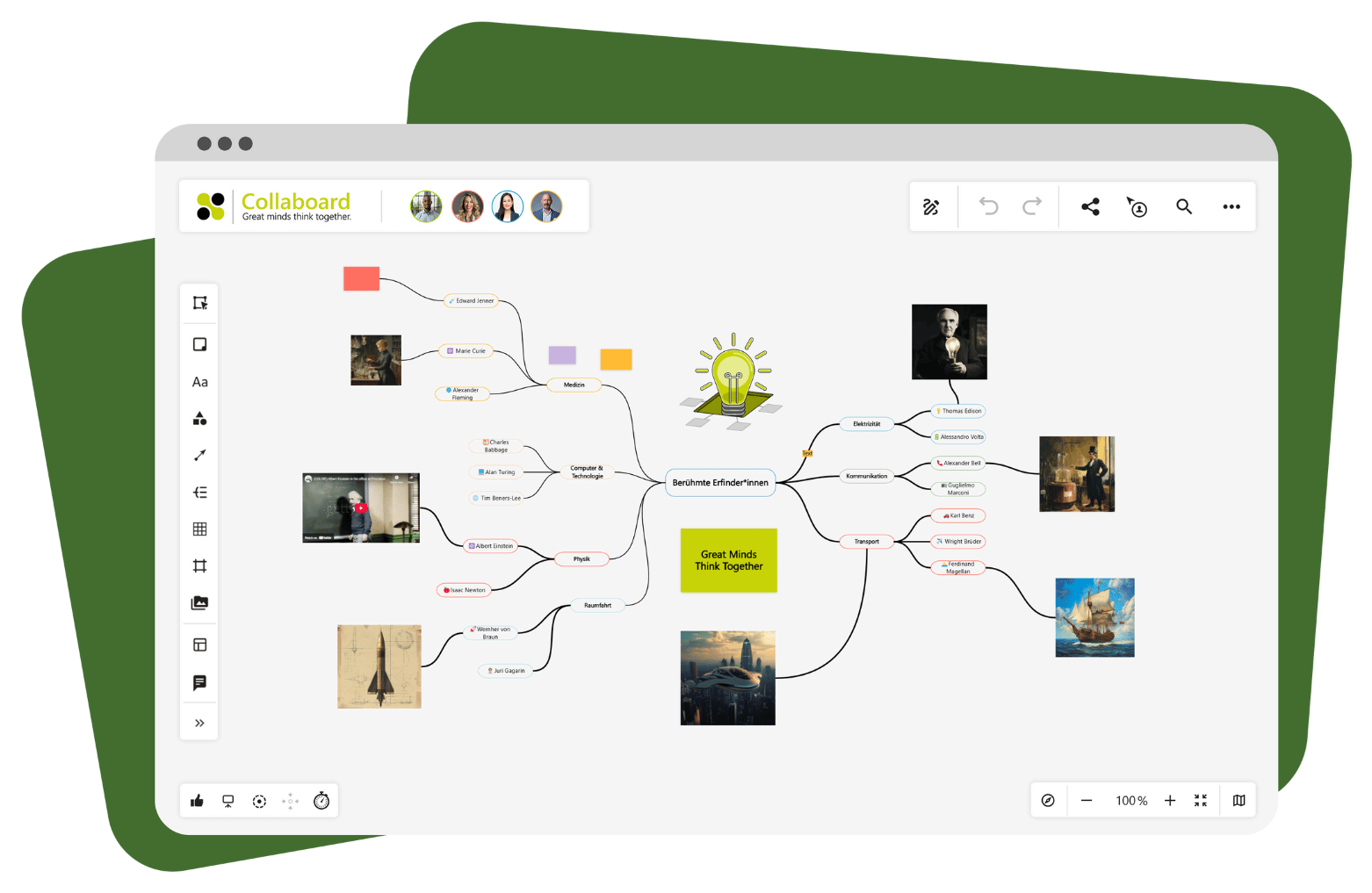
Create an idea board with the mind map template
The mind map template is ideal when you want to organize and develop complex thoughts visually. You start in the middle and add your ideas, topics or arguments around it. Colors, symbols and lines help you recognize connections and make them visible.
Use cases:
- Idea collections
- Concept development
- Structuring knowledge
Use the mind map template for free
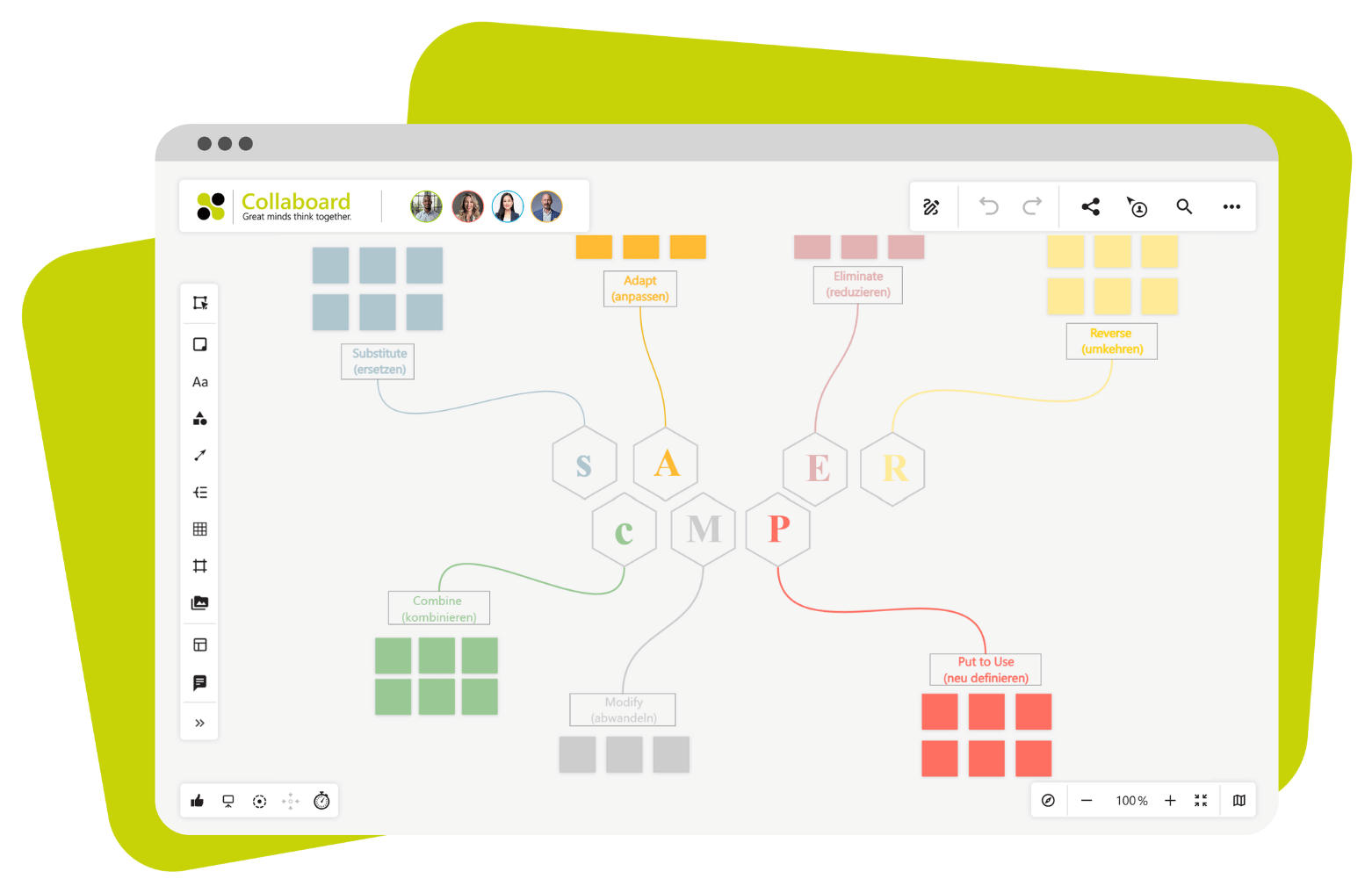
SCAMPER template for your inspiration board
This template guides you through seven prompts that help you develop existing ideas further. SCAMPER stands for substitute, combine, adapt, modify, put to another use, eliminate and reverse, and helps you look at an idea from new angles.
Use cases:
- Product ideas
- Creative impulses
- Rethinking existing concepts
Use the SCAMPER template for free
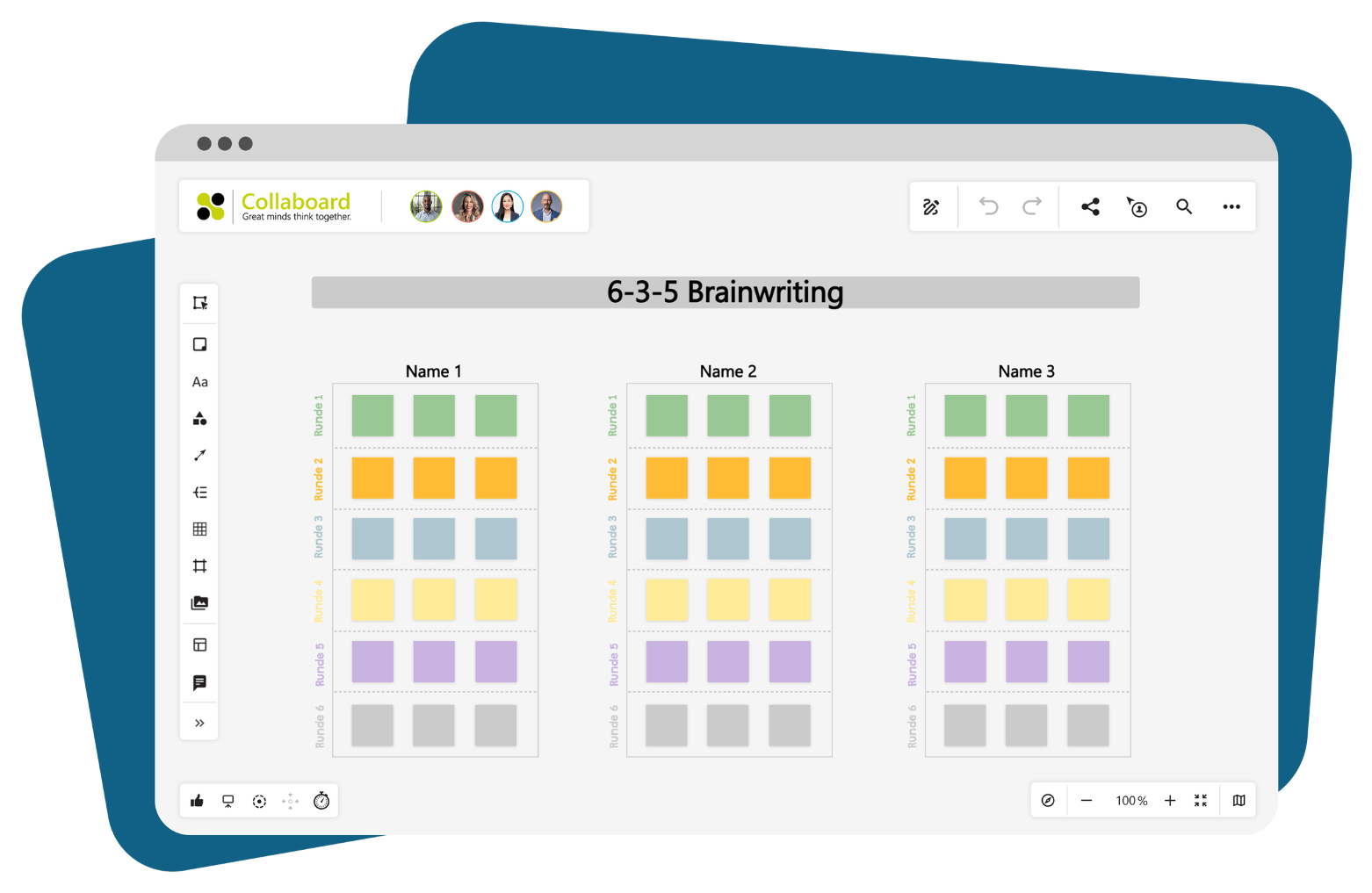
Collect ideas with the 6-3-5 brainwriting template
This method brings structure to any group work and produces many new ideas at the same time. Six people each write three ideas in five minutes. Then the sheet is passed on so the next person can build on those ideas. The template is laid out as a table, which makes it easy to keep track.
Use cases:
- Group work
- Structured creative phases
- Idea generation in teams
Use the 6-3-5 brainwriting template for free
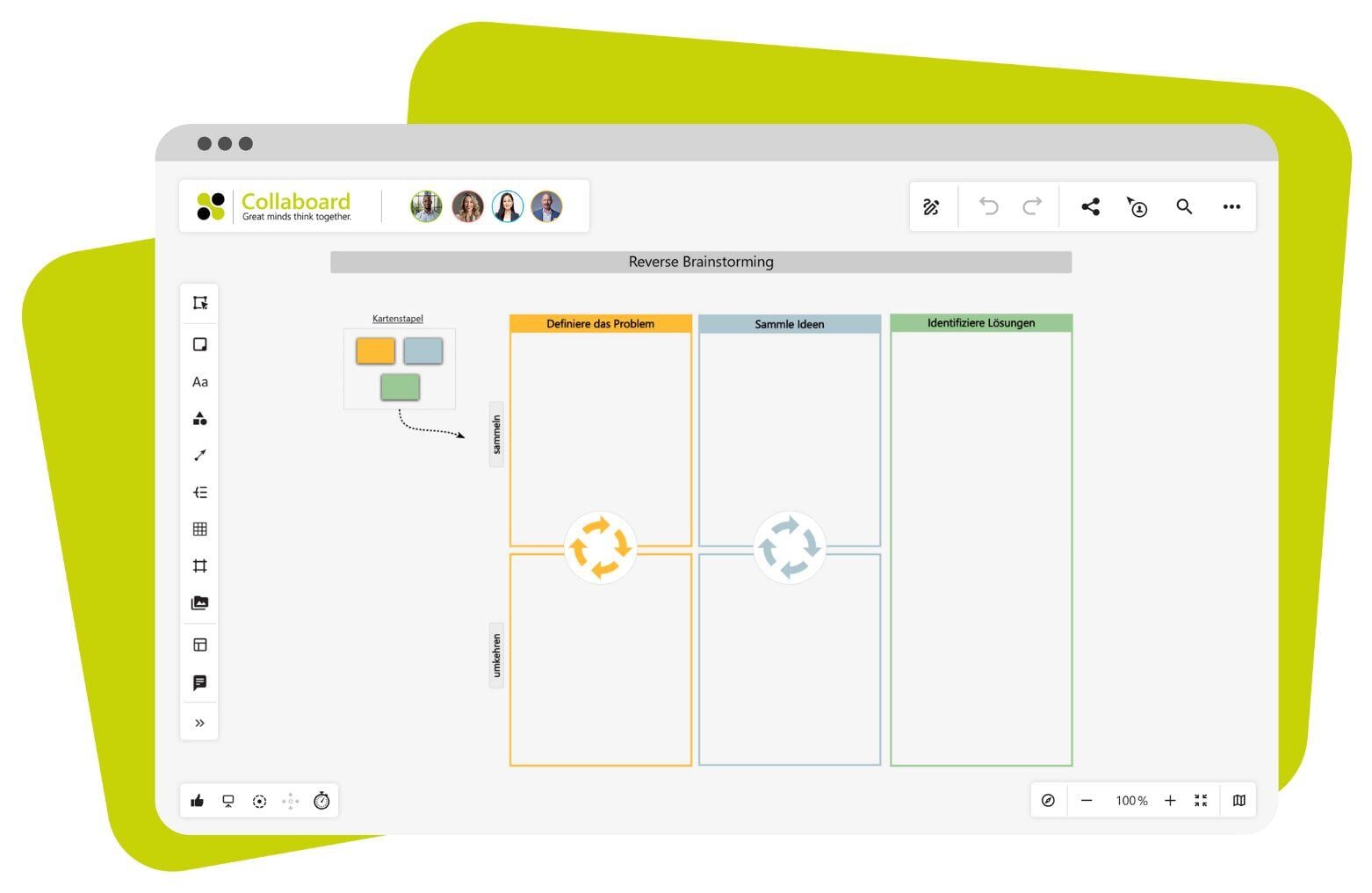
Reverse brainstorming template for your idea board
With this template, you turn the thinking process around and often reach a solution faster. First you think about how a problem could be made worse. In the next step, you turn these "wrong" ideas into concrete improvements.
Use cases:
- Error analysis
- Risk prevention
- Changing perspective
Use the reverse brainstorming template for free
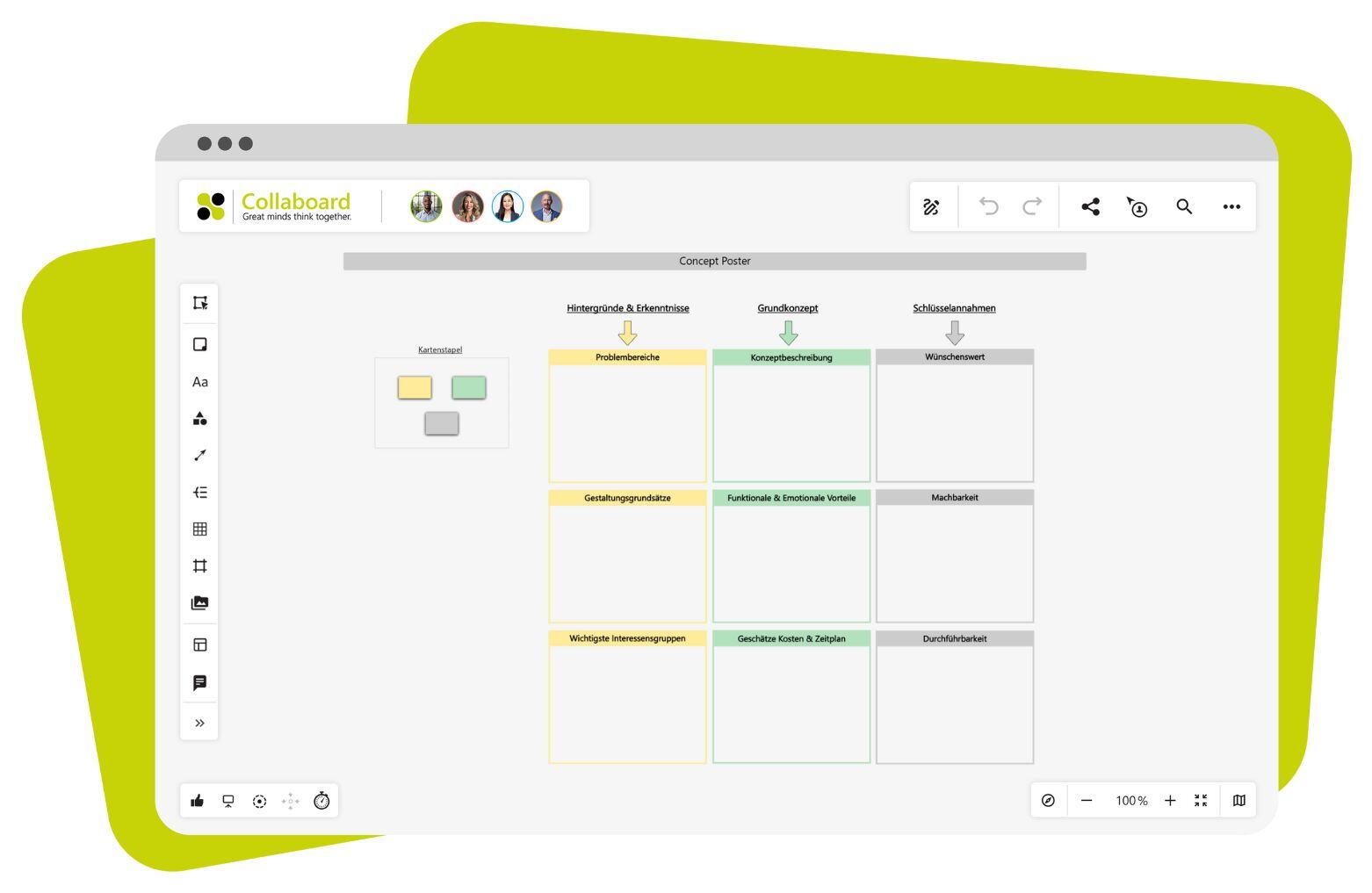
Concept poster template
If you want to structure a new idea quickly, the concept poster is the right choice. You capture the most important points, such as goal, benefit, target group or next steps, in clearly defined areas. This shows you quickly how mature the idea already is.
Use cases:
- Concept development
- Pitch preparation
- Strategic planning
Use the concept poster template for free
Best practices: using an idea board in everyday work
An idea board helps you collect creative ideas, organize them in a meaningful way and develop them together. That is why it has long been part of everyday work in many teams. To get the most out of your idea board, here are proven scenarios and practical tips.
Typical scenarios in everyday work
An idea board is versatile. It is especially helpful in these situations:
- Project kickoff: at the start of a project, everyone involved collects their expectations, ideas and open questions. The idea board creates clarity and shared goals.
- Creative meeting: use the board to capture ideas on the spot, as a text suggestion, a sketch or a concept. That way, nothing gets lost.
- Feedback round: collect feedback on a draft, product or process. Structured feedback on the board can be sorted and processed right away.
Structuring ideas
A full idea board can quickly become cluttered. Here is how to bring order to it:
- Color codes and categories: mark ideas by topic or relevance. Use colors for a better overview.
- Create connections: use lines and arrows to show relationships, for example between ideas that complement each other.
- Sort with drag and drop: move similar ideas together or group them into areas such as "target group", "risks" or "opportunities".
Developing and turning ideas into action
An idea only becomes something concrete when you take the next step. Collaboard supports you along the way:
- Notes can be turned directly into tasks with deadlines and owners.
- Comments and voting help you evaluate suggestions together.
- Presentation mode brings structure to discussions and lets you present ideas in a focused way.
Conclusion: make your ideas visible with Collaboard
A digital idea board brings all your thoughts together in one place. It helps you capture ideas right away without losing them. Even more importantly, it makes ideas visible to you and your team. This creates a shared picture that gives everyone direction.
Collaboard helps you collect ideas and develop them in a targeted way:
- You work on an infinite canvas, without limits.
- Templates such as mind map, SCAMPER or concept poster make getting started easy.
- You work securely: GDPR-compliant and on-premises if required.
- With presentation mode, timer, voting and comments, you run your meetings directly in the tool.
Start with Collaboard for free and use your idea board for clear thinking, visible results and secure collaboration.
On This Page
Turn this use case into your own whiteboard
Create a free Collaboard account and start working visually with your team today.
No credit card required
Idea board - Frequently asked questions and answers
Do you have any questions? We're here to help.
A digital idea board can be edited at any time, offers more structure and can be used regardless of location. You can work together in real time without the chaos of paper notes, move ideas, add comments and export them.
You can work with texts, images, sketches, videos, documents and tasks. Everything can be freely arranged on the board, commented on and shared with others – exactly as it suits your project.
You can use an idea board alone at any time, for example for personal notes, planning or concept drafts. At the same time, it is well-suited for team collaboration where multiple people can contribute and develop content simultaneously.
With Collaboard, you can implement various methods directly on the board, such as mind mapping, brainwriting, SCAMPER or reverse brainstorming. Ready-made templates help you get started immediately and work in a structured way.
An idea board serves to make thoughts visible, sort them and develop them further, usually within the context of projects or concepts. A moodboard, on the other hand, represents moods – for example through colors, shapes and images – and is primarily used in the design field.
Start your next whiteboard now
Get a free trial of Collaboard with up to 3 boards and five people per session. All key features are available for you to try out.


