
Priority Matrix Template
Decide what to tackle first by rating tasks or projects on two criteria. The priority matrix turns a long list into a clear order.
Free to start · Swiss-made · GDPR compliant
Setting up your own priority matrix
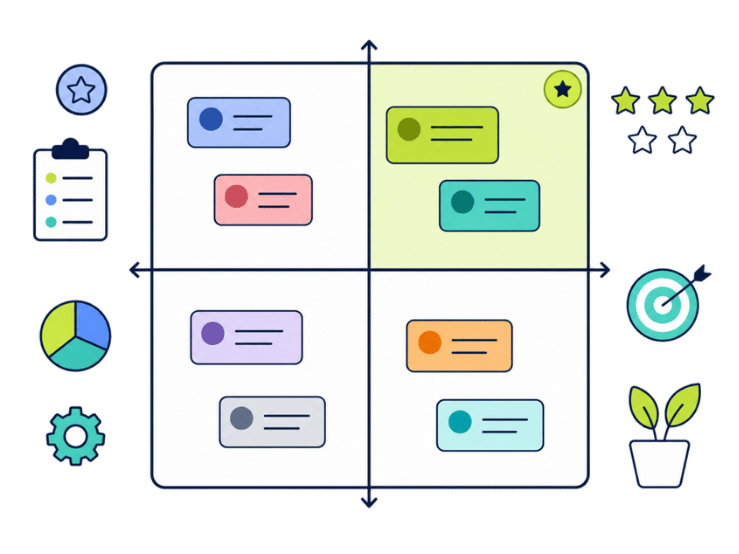
The Collaboard template shows a 2x2 grid with importance on the vertical axis and urgency on the horizontal axis. Next to it is a deck in four colors, one per quadrant: orange for important and urgent, purple for important but less urgent, light blue for urgent but less important and green for neither. You can rename the axes to fit your own criteria.

Choose your axes
Decide which two criteria matter for this decision. Keep importance and urgency, or rename the axes, for example to value and effort.
Define each axis
Agree on what high and low mean for each criterion, so everyone places notes the same way.
Collect items
Write one task, idea or project per note, using the deck next to the grid.
Place relative to each other
Place each note in its quadrant and compare it with its neighbors. Within a quadrant, a note further up or to the right is a higher priority.
Discuss outliers
Talk about notes that people would place differently. That's often where assumptions differ.
Decide and record
Agree on what to do with each quadrant and note the decisions on the board.
What is a priority matrix?
A priority matrix, also called a 2x2 matrix, sorts tasks, ideas or projects along two axes. Unlike the Eisenhower matrix, the axes are not fixed: you choose the two criteria that matter for your decision, and the position of each note within a quadrant shows how strongly it meets them.
Common axis pairs
- Importance and urgency The default setting of the Collaboard template. Useful for daily and weekly planning.
- Value and effort Useful when comparing features or improvement ideas.
- Impact and feasibility Useful for choosing which ideas from a brainstorming to pursue.
- Strategic fit and cost Useful for portfolio or budget decisions.
If you want fixed rules for what to do in each quadrant, the Eisenhower matrix is the more structured option.
Where a priority matrix with custom axes helps
- Feature prioritization Compare product ideas by value and effort.
- Evaluating brainstorming results Narrow a long list of ideas down to a few worth pursuing.
- Planning the week Use the default axes to sort tasks by importance and urgency.
- Portfolio decisions Compare projects by strategic fit and cost.
Choosing axes that actually separate tasks
- Pick criteria you can judge Vague axes like good or bad lead to vague results. Use criteria the team can actually estimate.
- Compare, don't score The strength of the matrix is relative placement. Ask whether a note is more or less important than its neighbor.
- Watch the crowded quadrant If most notes end up in the same quadrant, your criteria don't separate enough. Sharpen them.
- Name the quadrants Once the axes are set, give each quadrant an action, such as do first, plan or skip.
Why Collaboard
A Swiss-made online whiteboard for teams that care where their data lives.
Your data stays in Europe
Choose hosting in Switzerland, Germany or the EU, fully GDPR compliant. Or run Collaboard on your own servers.
Invite anyone with a link
Guests join your board for free, right in the browser. Nothing to install, no extra licenses for participants.
Made in Switzerland, with real support
Collaboard is developed in Switzerland. When you need help, you talk to people who know the product.
Frequently asked questions
Is the priority matrix template free?
Yes, the priority matrix template is free to use with a Collaboard account. The free plan includes up to 3 boards and five people per session.
What is a priority matrix used for?
A priority matrix is used to compare tasks, ideas or projects along two criteria, so a team can see which ones deserve attention first.
Which criteria can I use in a priority matrix?
Common criteria for a priority matrix are importance and urgency, value and effort, or impact and feasibility. The Collaboard template starts with importance and urgency, and you can rename the axes.
What is the difference between a priority matrix and the Eisenhower matrix?
The Eisenhower matrix always uses urgency and importance and gives each quadrant a fixed action. A priority matrix lets you choose the criteria and decide what each quadrant means.
Can I use the priority matrix with my team?
Yes, in Collaboard everyone can place and move items on the same priority matrix in real time.
Start your next whiteboard now
Get a free trial of Collaboard with up to 3 boards and five people per session. All key features are available for you to try out.

