
Business Model Canvas Template
Describe your entire business model on one page. The Business Model Canvas shows how nine building blocks fit together, from customer segments to cost structure.
Free to start · Swiss-made · GDPR compliant
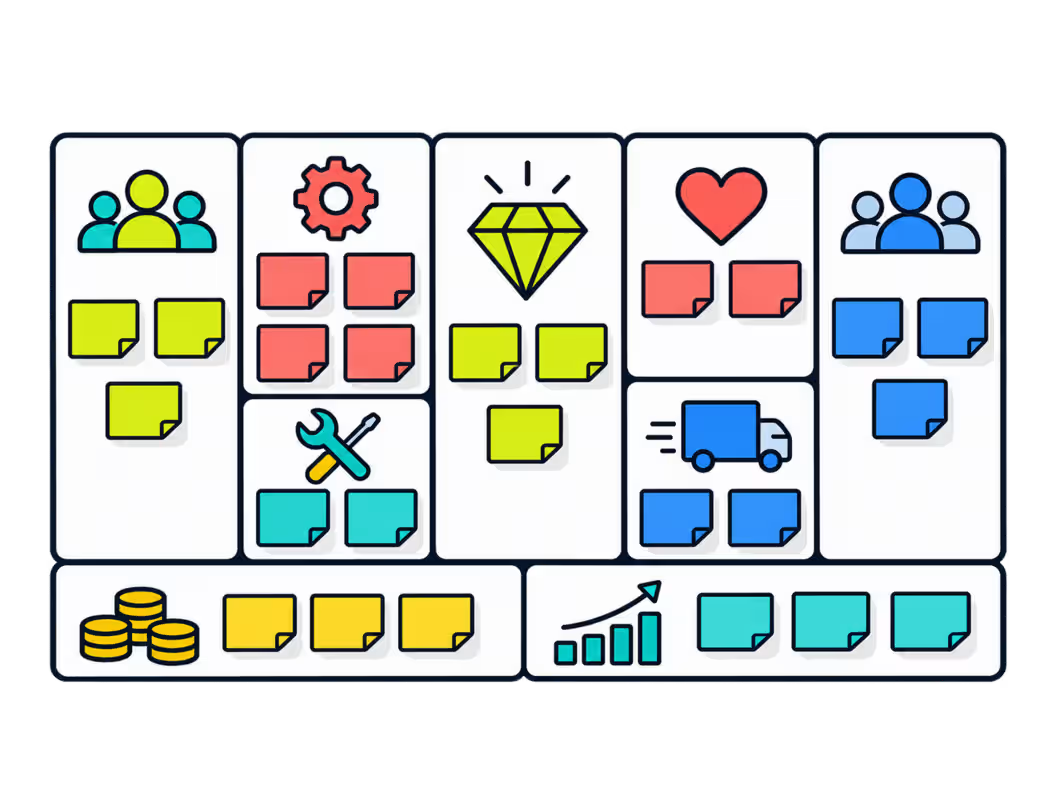
Filling in the Business Model Canvas block by block
The Collaboard template shows the nine building blocks in the classic layout, each with guiding questions and its own deck of colored notes. A header row with Designed for, Designed by and Date documents which version you're working on, which helps when you compare several business models.
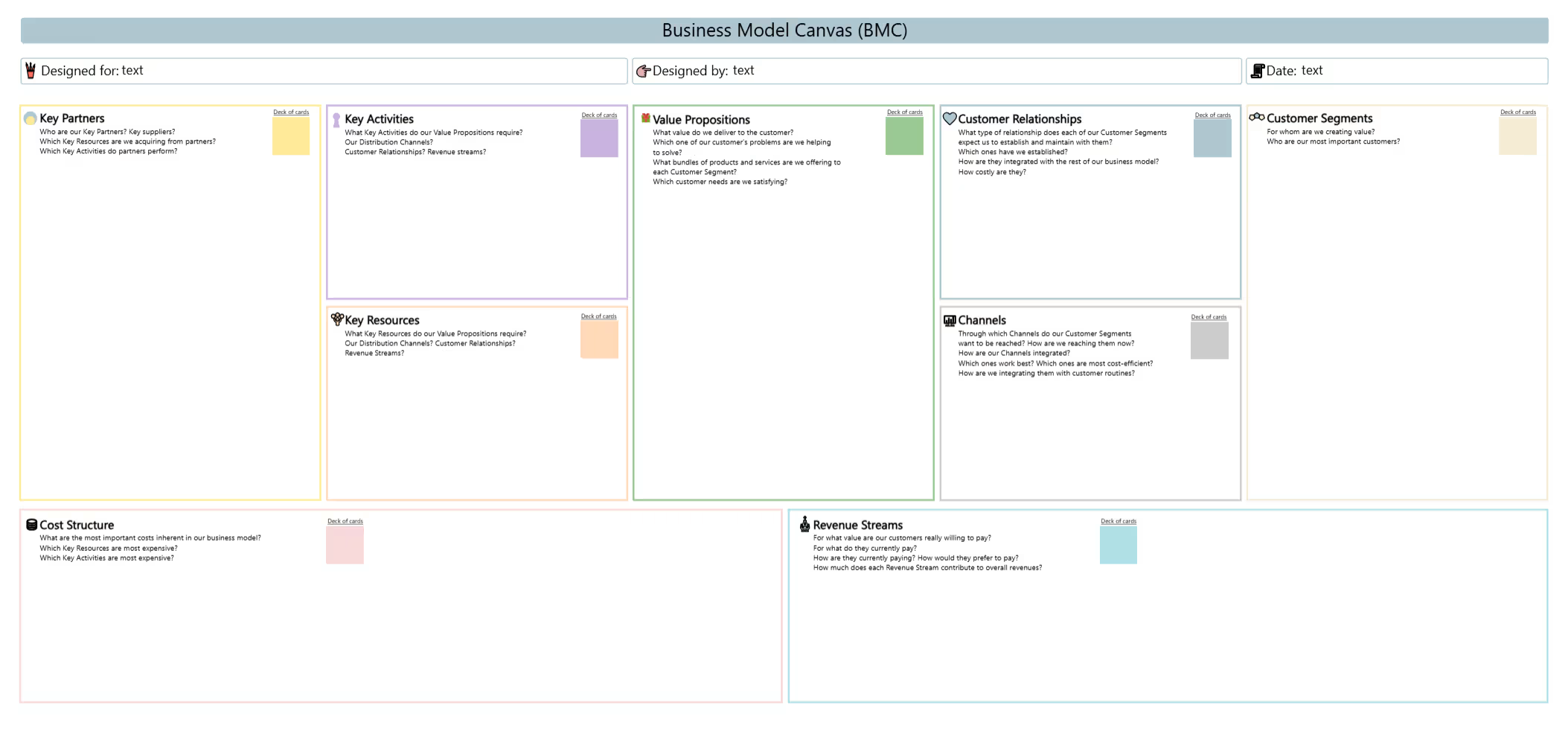
Fill in the header
Note what the canvas is designed for, who designed it and the date, so versions stay comparable.
Start with the customer
Fill in customer segments and value propositions first. Everything else builds on them.
Describe how you reach customers
Add channels, customer relationships and revenue streams on the right side of the canvas.
Add the infrastructure
Complete key resources, key activities and key partners on the left side.
Calculate the costs
Fill in the cost structure and check whether the revenue streams cover it.
Test and compare
Mark assumptions, test the riskiest ones first and copy the canvas to compare alternative models.
What is the Business Model Canvas?
The Business Model Canvas by Alexander Osterwalder and Yves Pigneur describes a business model on one page, in nine building blocks. It shows how a company creates value for its customers, how it delivers that value and how it earns money, and it helps teams discuss and change a business model together.
The nine building blocks of the template
The examples follow one illustrative scenario: a bike repair service with a subscription model.
- Customer Segments For whom are we creating value? Example: city commuters who ride every day.
- Value Propositions Which customer problems are we solving? Example: a bike that always works, without waiting times.
- Channels How do we reach our customers? Example: an app, the website and partner shops.
- Customer Relationships What relationship do customers expect? Example: a personal mechanic and service reminders in the app.
- Revenue Streams What are customers willing to pay for? Example: a monthly subscription plus paid extras.
- Key Resources What do we need to deliver the value? Example: mechanics, mobile workshops and spare parts.
- Key Activities What must we do well? Example: on-site repairs and maintenance planning.
- Key Partners Who helps us? Example: parts suppliers and employers that offer the service as a benefit.
- Cost Structure What are the main costs? Example: wages, vans and spare parts.
To look more closely at the fit between customer and offer, the Value Proposition Canvas zooms in on two of the blocks.
Who works with the Business Model Canvas
- Start-ups Describe and test a business idea before writing a business plan.
- New products Check how a new offer fits into the existing business.
- Strategy workshops Rethink an established business model as a team.
- Teaching Explain how companies create and capture value.
Mark assumptions and compare canvas versions
- One segment at a time If different customer segments need different value propositions, use one note color per segment or a separate canvas.
- Write short notes One idea per note keeps the canvas readable and easy to rearrange.
- Mark assumptions Separate what you know from what you assume, and test the assumptions first.
- Compare versions Copy the canvas to explore alternatives side by side.
Why Collaboard
A Swiss-made online whiteboard for teams that care where their data lives.
Your data stays in Europe
Choose hosting in Switzerland, Germany or the EU, fully GDPR compliant. Or run Collaboard on your own servers.
Invite anyone with a link
Guests join your board for free, right in the browser. Nothing to install, no extra licenses for participants.
Made in Switzerland, with real support
Collaboard is developed in Switzerland. When you need help, you talk to people who know the product.
Frequently asked questions
Is the Business Model Canvas template free?
Yes, the Business Model Canvas template is free to use with a Collaboard account. The free plan includes up to 3 boards and five people per session.
Who developed the Business Model Canvas?
The Business Model Canvas was developed by Alexander Osterwalder and Yves Pigneur and first published in their book Business Model Generation in 2010.
In which order should I fill in the Business Model Canvas?
The Business Model Canvas is usually filled in starting with customer segments and the value proposition, then channels, customer relationships and revenue streams, then resources, activities and partners, and finally the cost structure.
Can several people work on the Business Model Canvas at the same time?
Yes, on a digital whiteboard, a team can work on the Business Model Canvas in real time and comment on individual building blocks.
What is the difference between the Business Model Canvas and the Lean Canvas?
The Lean Canvas by Ash Maurya adapts the Business Model Canvas for start-ups and replaces some blocks with problem, solution, key metrics and unfair advantage.
Can I combine the Business Model Canvas with other templates?
Yes, many teams combine the Business Model Canvas with a SWOT analysis to evaluate the strengths and weaknesses of the business model before implementation.
Start your next whiteboard now
Get a free trial of Collaboard with up to 3 boards and five people per session. All key features are available for you to try out.

