<img height="1" width="1" src="https://www.facebook.com/tr?id=337946470568894&amp;ev=PageView &amp;noscript=1">

Collaboard: The Free Online Retrospective Tool

Retrospectives are a proven method for reflecting on teamwork and identifying improvements—whether during agile sprints or after a project is completed.

In the digital space, retrospective tools are becoming increasingly relevant. They enable remote teams to collaborate securely and in a structured way on a shared whiteboard.

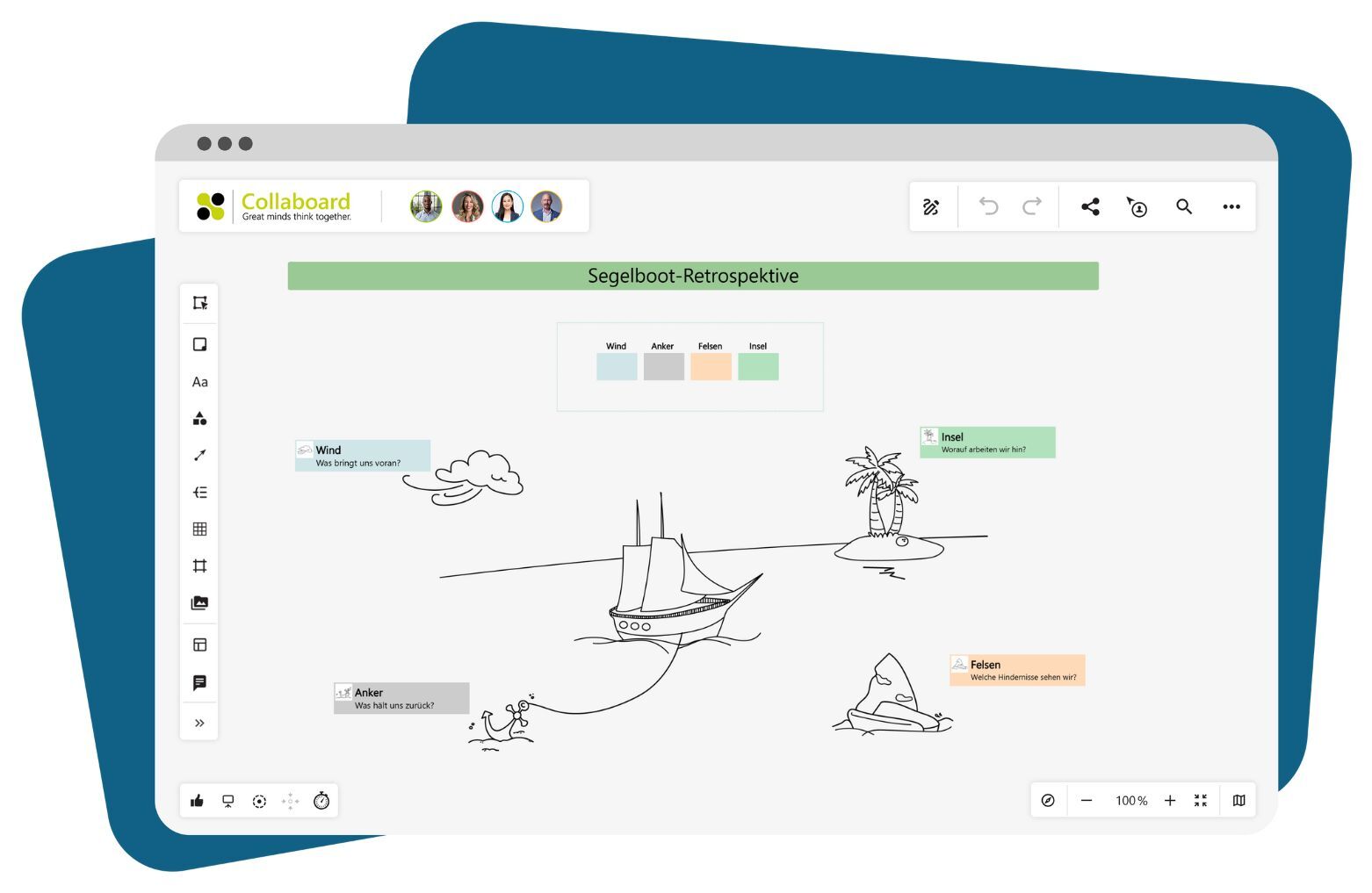
Sailboat Retrospective Template-1

In this article, you will find out what makes a good retrospective tool and the advantages that digital tools offer compared to analog methods. Collaboard, as an online whiteboard, provides a data-secure and user-friendly platform that is ideal for organizations with high security requirements.


What to look for in a retrospective tool

To ensure effective retrospectives, a high-quality tool requires a well-thought-out structure and the highest security standards. With Collaboard as an online retrospective tool, you can manage key reflection processes professionally and securely. Here are the essential features to look for in a retrospective tool:


Flexibility and Adaptability

A retrospective tool should integrate seamlessly into your infrastructure:

  • Hosting Options: Use Collaboard on-premises, in a private cloud, or in a public cloud to meet your organization's data protection requirements.

  • Scalability: Collaboard offers a stable platform suitable for both small teams and large organizations.


User-Friendly Visualization

A clear and intuitive display supports impactful retrospectives by enabling teams to easily collect, organize, and analyze thoughts.

  • Interactive Whiteboard Features: Allow team members to visually structure ideas using tools like sticky notes and mind maps.

  • Templates: Use ready-made templates to structure retrospectives efficiently and get started immediately.

  • Highlight Boxes and Markup: Simple tools for visualizing and highlighting key points help maintain an overview during discussions.

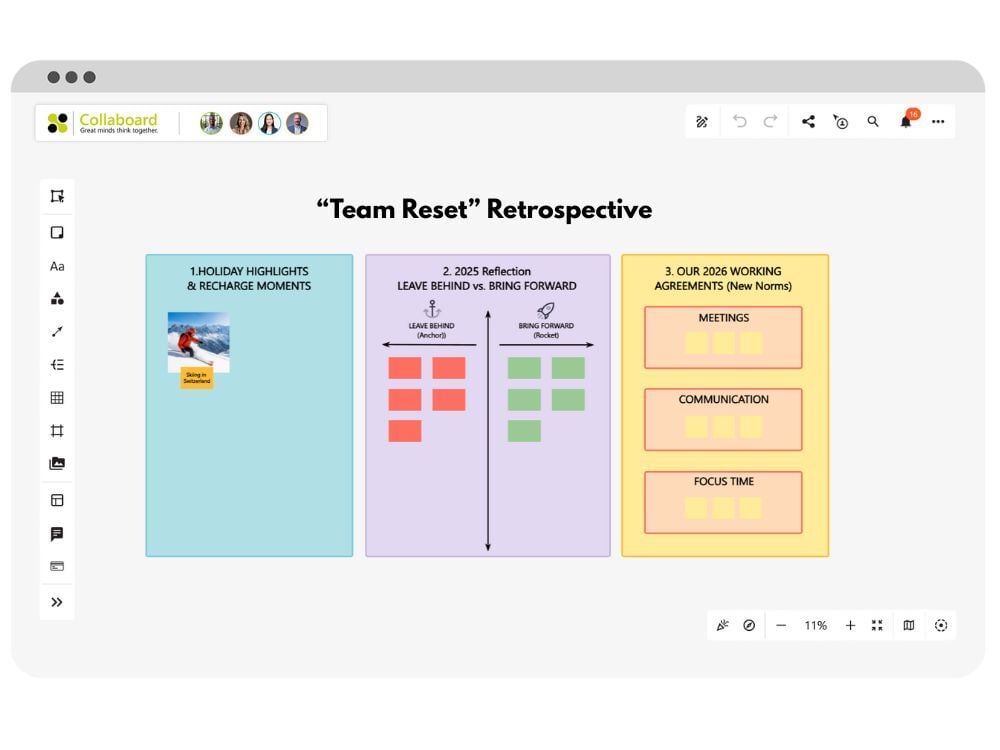
Team Reset Retrospective

Security Standards and User Management

Protecting sensitive information is essential, particularly for teams in the public sector and security-critical industries.

  • Encryption and Permission Management: Collaboard utilizes AES-256 encryption and allows you to create custom roles and permissions tailored to your organization's security guidelines.

  • Single Sign-On (SSO): With SAML 2.0 and OAuth2 integration, access remains secure and seamless. This allows you to manage external participant access according to your security policies.


Seamless Integration into Your Work Environment

A retrospective tool should integrate smoothly into your existing work environment to facilitate ease of use for teams and make workflows effective.

  • Synchronization with Active Directory: Integrate Collaboard into your Active Directory structure to manage user groups and permissions simply and centrally.

  • Compatibility with Video Conferencing and Project Management Tools: Collaboard connects with popular tools to ensure smooth workflows during retrospectives and beyond.


Simple Collaboration and Tracking

Good retrospective software not only fosters collaboration but also ensures traceable documentation and clear responsibilities.

  • Access Control: Decide whether only specific team members can access projects and exclude guests as needed.

  • Traceability and Disclaimers: Configure disclaimers to appear before a project starts and ensure well-managed project conclusions.

With Collaboard, you get a flexible, secure, and professional platform that makes team retrospectives simple and effective. Start with Collaboard for free now and take your retrospective tool to the next level!

 

How to Run an Online Retrospective

With Collaboard, you can conduct retrospectives in a structured and result-oriented way—from preparation to tracking results. Here is a step-by-step guide on how to organize an online retrospective:


Step 1: Preparation and Goal Setting

Start by defining the goal of the retrospective and informing your team about the agenda:

  • Define goals and focus areas: What should the retrospective achieve? Possible focus areas could be analyzing completed projects, optimizing processes, or team development.

  • Invitations and access: Invite your team to a shared Collaboard project and ensure all participants have access. Use the SSO feature to make the login process simple and secure.


Step 2: Board Preparation and Structure

A well-prepared board structure saves time and helps the team maintain an overview:

  • Select or create a template: Choose a suitable retrospective template in Collaboard or create your own structure, for example, a "Start-Stop-Continue" or "What Went Well" board.

  • Create areas and columns: Divide the whiteboard into different sections or columns. Use highlight boxes, for instance, to structure topic areas like "Positive," "Improvements," and "New Approaches."

  • Use interactive features: Create text fields for notes that the team can easily add to and move around. Visualization using colors and icons can provide additional support.


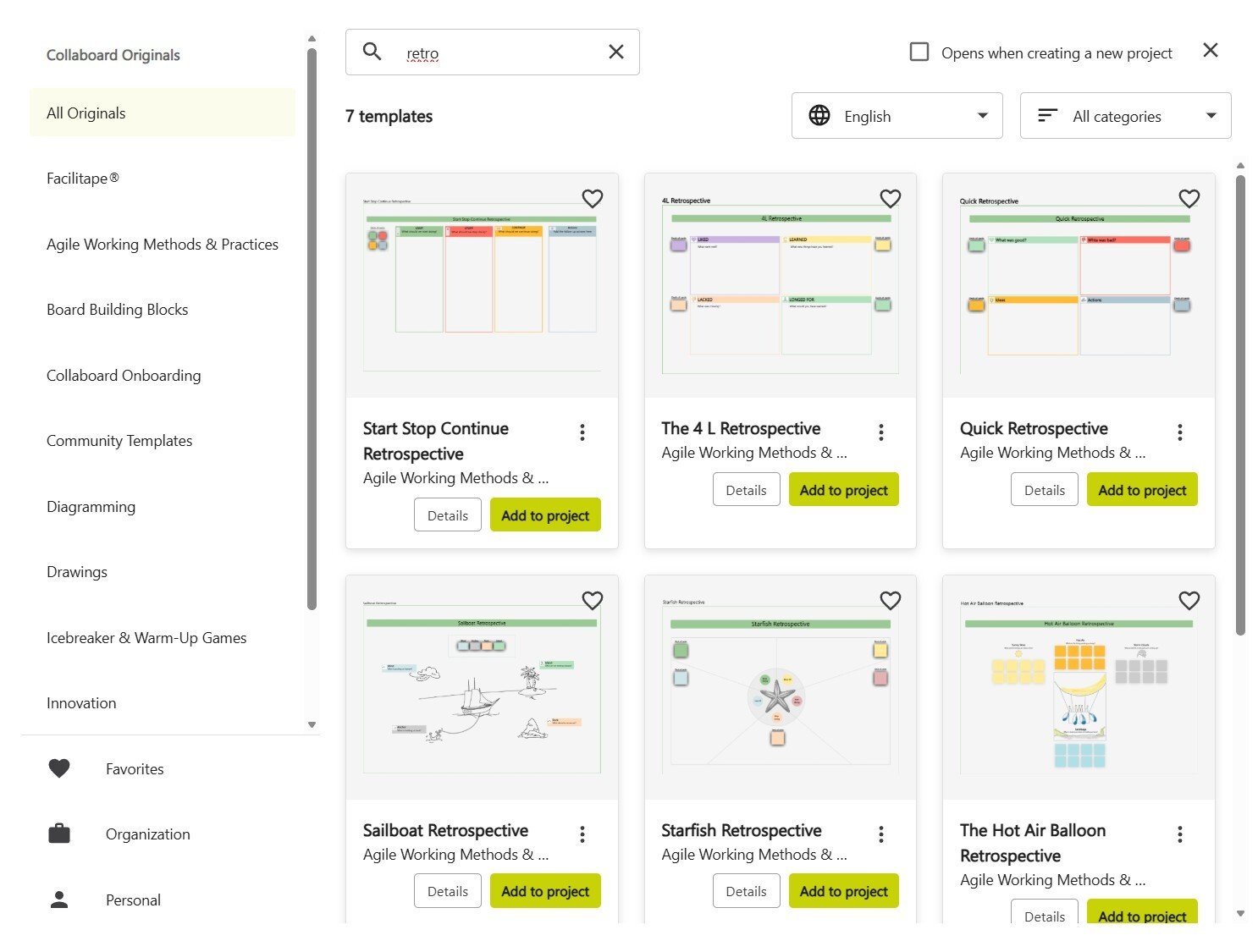
Collaboard Retrospective Templates

Step 3: Collecting Ideas and Feedback

Encourage your team to contribute ideas and thoughts on the defined topics during the retrospective:

  • Team Brainstorming: Give all participants the opportunity to share their opinions and observations freely. Collaboard offers the option to work anonymously if the feedback is sensitive.

  • Categorize and Structure: Subsequently, sort the notes together with the team and highlight particularly relevant points for an agile retrospective.


Step 4: Evaluation and Prioritization

To ensure the retrospective leads to concrete results, it is important to evaluate the collected ideas:

  • Use Voting Tools: Collaboard offers the ability to rate or vote on elements. Let the team prioritize using thumbs up/thumbs down or dot voting.

  • Define Tasks: Assign owners to the results and set clear goals. Use Collaboard's note features to document tasks directly on the whiteboard.

Step 5: Documentation and Follow-up

Maintain an overview of the results and ensure they remain accessible even after the retrospective concludes:

  • Save Results: Save the whiteboard or export it to record the key findings.

  • Access for Future Reference: Keep the board accessible to the team after the session so they can refer back to it at any time.

Start with Collaboard for free now and make your team's project retrospectives flexible and secure.

Retrospective Templates from Collaboard

As a retrospective board, Collaboard offers various templates tailored to specific formats, helping your team adapt its focus flexibly. Here is an overview of the most common types of retrospectives and their key features.

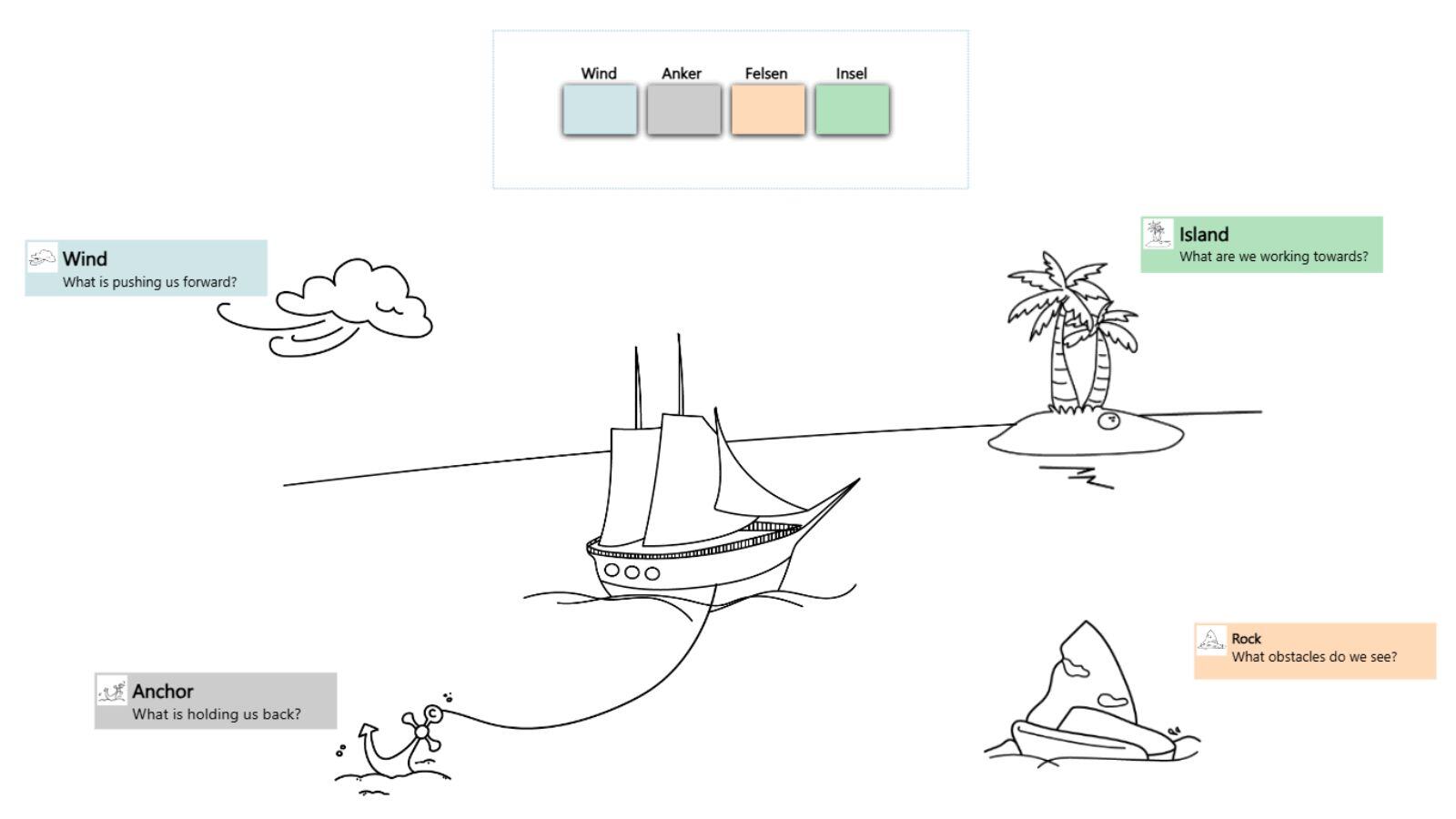
Sailboat Retrospective

The Sailboat Retrospective visualizes the team as a sailboat on its way to a destination. It involves identifying and discussing obstacles (rocks), supporting factors (wind), hindrances (anchors), and goals (the island). This method is excellent for collectively identifying opportunities and risks and working constructively on improvements.

Segelboot Retrospektive

4L's Retrospective

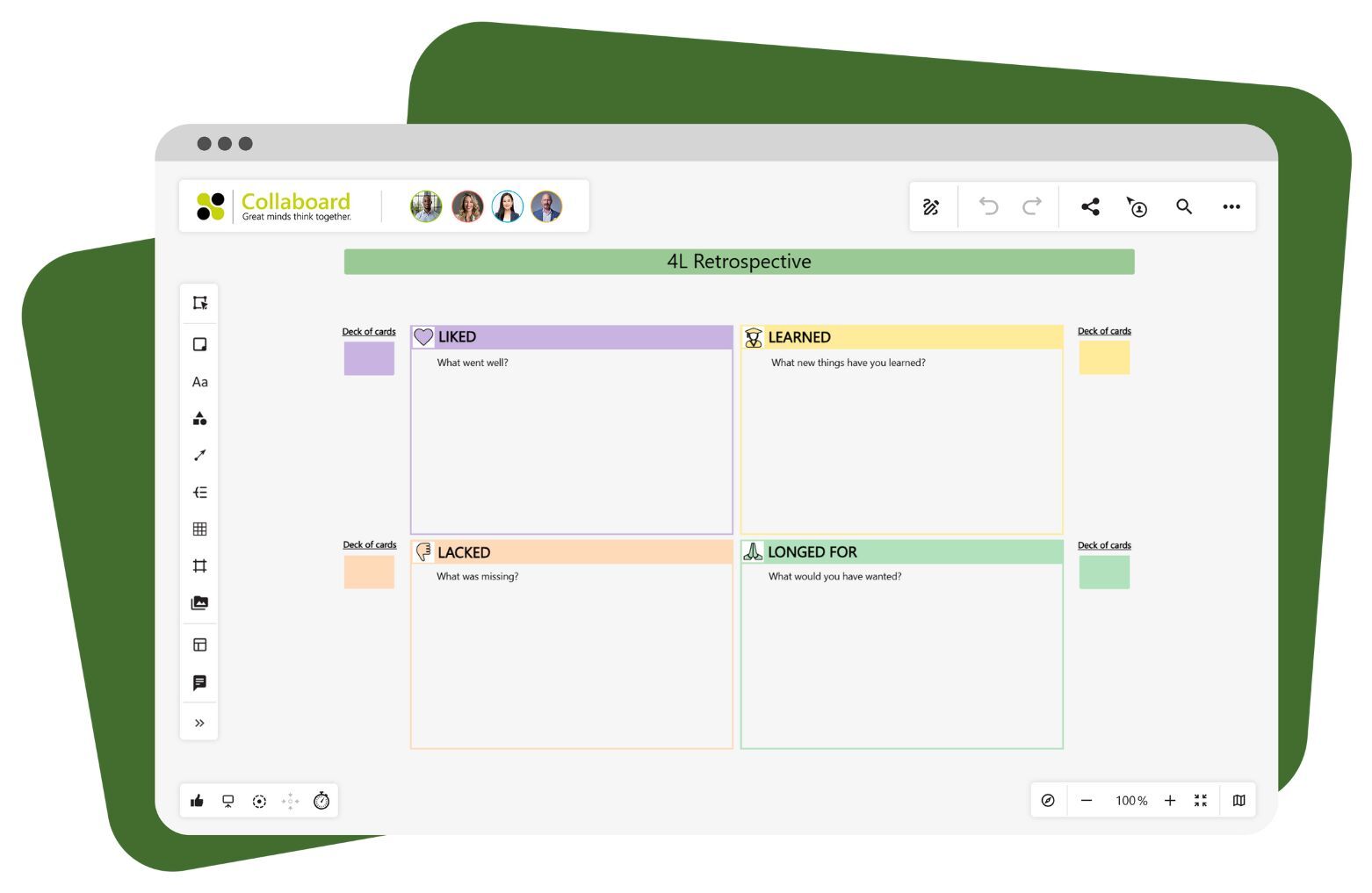
The 4Ls Retrospective focuses on four categories: Liked, Learned, Lacked, and Longed For. This method provides a comprehensive review and helps the team specifically analyze what worked well, what was missing, and what their wishes are for the future. The clear structure of the 4L template allows for the effective identification of key points.

4Ls Retrospective Template

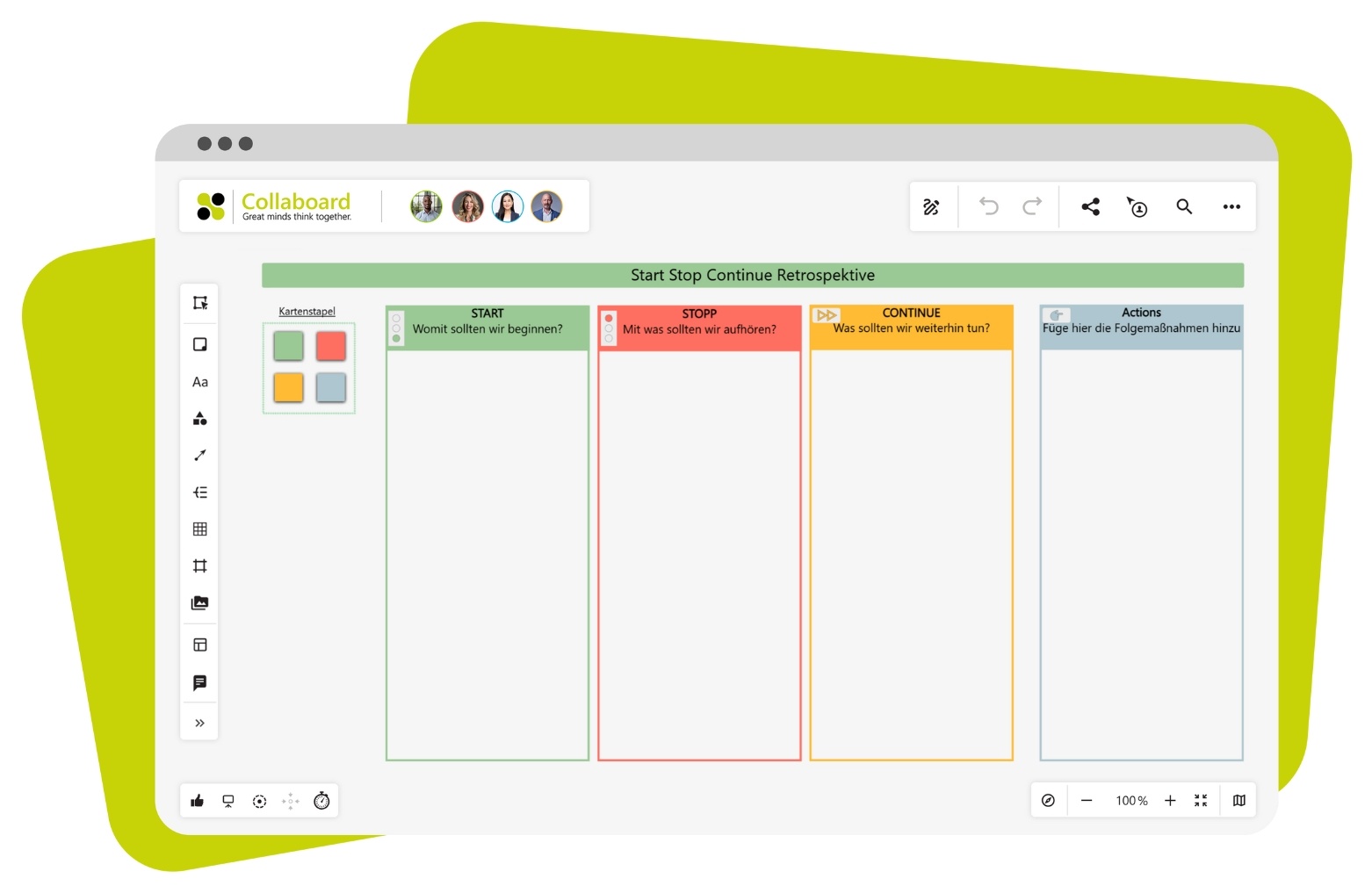
Start-Stop-Continue-Retrospective

The Start-Stop-Continue retrospective is one of the most popular methods for specifically identifying opportunities for improvement within a team. It focuses on three areas: "Start" for activities the team wants to initiate, "Stop" for those the team should cease, and "Continue" for proven practices that should be maintained. This clear structure allows for the quick identification of areas for action and the definition of concrete measures.

Start-Stop-Continue Template

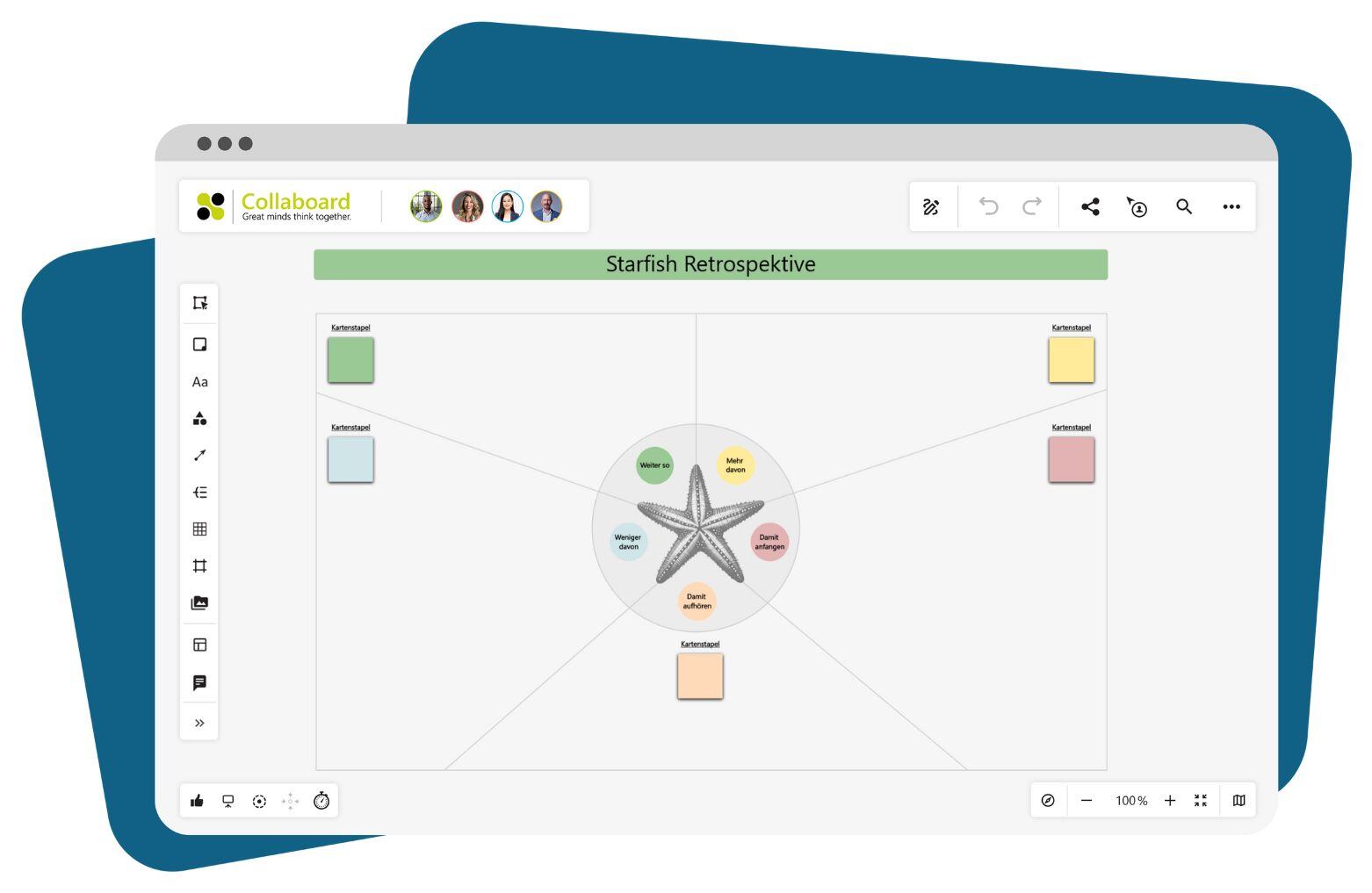
Starfish-Retrospective

The Starfish Retrospective divides topics into five categories: Start, Stop, Continue, More of, and Less of. This structure enables the team to perform a nuanced analysis of which activities should be continued, modified, or stopped. Collaboard’s Starfish template helps visualize each area clearly and fosters in-depth discussion.

Starfish Retrospektive Collaboard

With Collaboard’s versatile retrospective templates, you can choose the exact method that best supports your team. Start with Collaboard for free now and use the perfect project retrospective for your next meeting!

Why Collaboard is the Ideal Retrospective Tool

Collaboard offers all the essential features teams need in a retrospective board. With flexible hosting options, it adapts perfectly to any infrastructure and meets the highest security standards, specifically tailored to the needs of data-sensitive industries. Thanks to its intuitive interface and access to templates and interactive tools like highlight boxes and markup, teams can run effective and structured retrospectives.

The combination of a user-friendly interface and comprehensive permission management ensures that every team member can collaborate easily and securely. Furthermore, all results and responsibilities can be clearly documented in Collaboard and saved for future reference.

Leverage the benefits of Collaboard for your retrospectives—from preparation to follow-up. Start with Collaboard for free now and support your team with a top-tier retrospective tool!

Retrospective Tool – Frequently Asked Questions

What is a retrospective?

A retrospective is a method used to reflect on completed projects or work phases within a team and to jointly develop future improvements. It involves gaining insights from the collaboration and deriving concrete actionable measures.

What is a retrospective tool?

A retrospective tool helps teams digitally structure and effectively conduct the reflection process. Features such as virtual whiteboards, templates, and voting tools facilitate the collection and analysis of feedback and ideas.

How long does a retrospective take?

The duration depends on the scope of the project discussed and the team size. Structured preparation with a tool like Collaboard helps to organize the retrospective effectively.

How secure is Collaboard as a retrospective tool?

Collaboard meets the highest security standards and uses AES-256 bit encryption to protect all data. For data-sensitive companies, Collaboard offers on-premises solutions and integration with Active Directory for user management.

Does Collaboard have a Sprint Retrospective template?

Yes, Collaboard provides templates for Sprint Retrospectives to help start the process quickly and in a structured way. These templates can be flexibly adapted and tailored to you and your team.

Can I integrate Collaboard into an existing cloud infrastructure?

Yes, Collaboard supports various cloud environments such as MS Azure, AWS, and Kubernetes and can be seamlessly integrated into your infrastructure. This allows you to optimally adapt Collaboard to your security and compliance standards.

Is Collaboard suitable for use without an internet connection?

Yes, Collaboard can be hosted entirely on-premises and operates without internet access within an isolated network. This option is ideal for companies with high data protection requirements.

Does Collaboard provide an integration with Jira

Yes, Collaboard provides a comprehensive, bidirectional integration with Jira that allows teams to import issues directly onto the whiteboard as interactive cards. This functionality supports real-time synchronization, ensuring that any changes made to tasks on the board—such as status updates or content edits—are automatically reflected in Jira, and vice versa.