
KWL Chart Template
Structure learning in three steps: what you know, what you want to know and what you've learned. The KWL chart activates prior knowledge and makes learning progress visible.
Free to start · Swiss-made · GDPR compliant
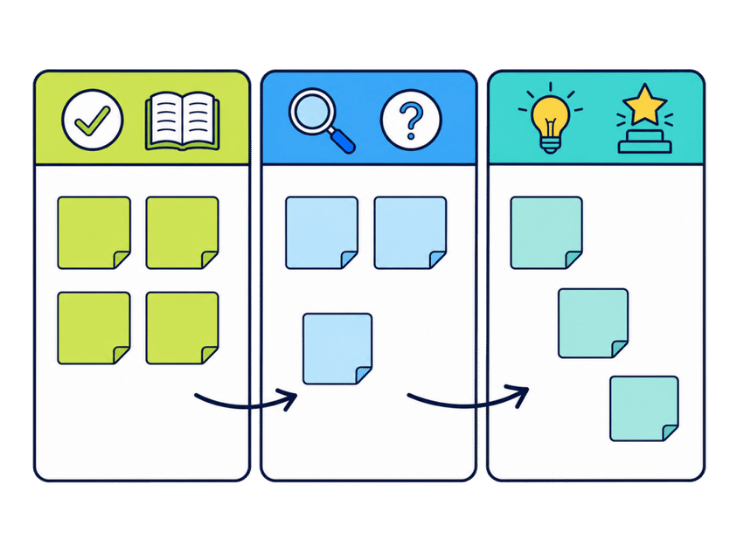
Using a KWL chart before, during and after learning
The Collaboard template has three colored columns, orange for What I know, blue-grey for What I wonder and green for What I learned, each marked with a large K, W or L. A deck with notes in the three colors sits on the left, so everyone can add notes to the matching column.

Introduce the topic
Name the topic of the lesson, training or project and explain the three columns.
Collect prior knowledge
Everyone adds what they already know to the K column, one point per note.
Ask questions
In the W column, everyone notes what they wonder about or want to find out.
Learn
Work through the topic. The questions in the W column show what to focus on.
Record what you learned
At the end, everyone adds what they learned to the L column.
Compare
Check which questions were answered and which remain open for next time.
What is a KWL chart?
A KWL chart structures learning in three steps: what learners already know, what they wonder about, and what they learned in the end. It was introduced by Donna Ogle in 1986 and is used in schools as well as in training and onboarding.
The three columns of the template
The examples follow one illustrative scenario: a training session on data protection at work.
- K: What I know Prior knowledge before the session. Example: personal data needs to be protected.
- W: What I wonder Questions and curiosity. Example: may I store customer lists on my laptop?
- L: What I learned Insights at the end. Example: whom to contact when data gets lost.
If you also want feedback on the session itself, the feedback tree is a good way to close.
KWL charts in school, training and onboarding
- Lessons at school Activate prior knowledge and make learning progress visible.
- Training and workshops Adapt the content to what participants want to know.
- Onboarding Find out what new colleagues already know.
- Project kickoffs Collect knowledge and open questions before work starts.
Making each KWL column count
- Welcome wrong prior knowledge Misconceptions in the K column are valuable. They show what needs clarifying.
- Write W as questions Write questions, not topics: How does it work? Why is it like this?
- Leave time for L The learning column is the one most often rushed at the end. Plan five minutes for it.
- Keep the board Open questions from the W column are a good start for the next session.
Why Collaboard
A Swiss-made online whiteboard for teams that care where their data lives.
Your data stays in Europe
Choose hosting in Switzerland, Germany or the EU, fully GDPR compliant. Or run Collaboard on your own servers.
Invite anyone with a link
Guests join your board for free, right in the browser. Nothing to install, no extra licenses for participants.
Made in Switzerland, with real support
Collaboard is developed in Switzerland. When you need help, you talk to people who know the product.
Frequently asked questions
Is the KWL chart template free?
Yes, the KWL chart template is free to use with a Collaboard account. The free plan includes up to 3 boards and five people per session.
What does KWL stand for?
In the KWL chart, KWL stands for Know, Wonder and Learned. The W is also often read as Want to know.
Who developed the KWL chart?
The KWL chart was introduced by Donna Ogle in 1986.
Can students work on a KWL chart together?
Yes, students can work on the same KWL chart in Collaboard in real time.
Can I use a KWL chart outside school?
Yes, a KWL chart also works in training sessions and project kick-offs.
Start your next whiteboard now
Get a free trial of Collaboard with up to 3 boards and five people per session. All key features are available for you to try out.

