
Bulls Eye Diagram Template
Sort ideas, tasks or features by importance. The bulls eye diagram puts what matters most in the center and less important items further out.
Free to start · Swiss-made · GDPR compliant
Prioritizing with a bulls eye diagram
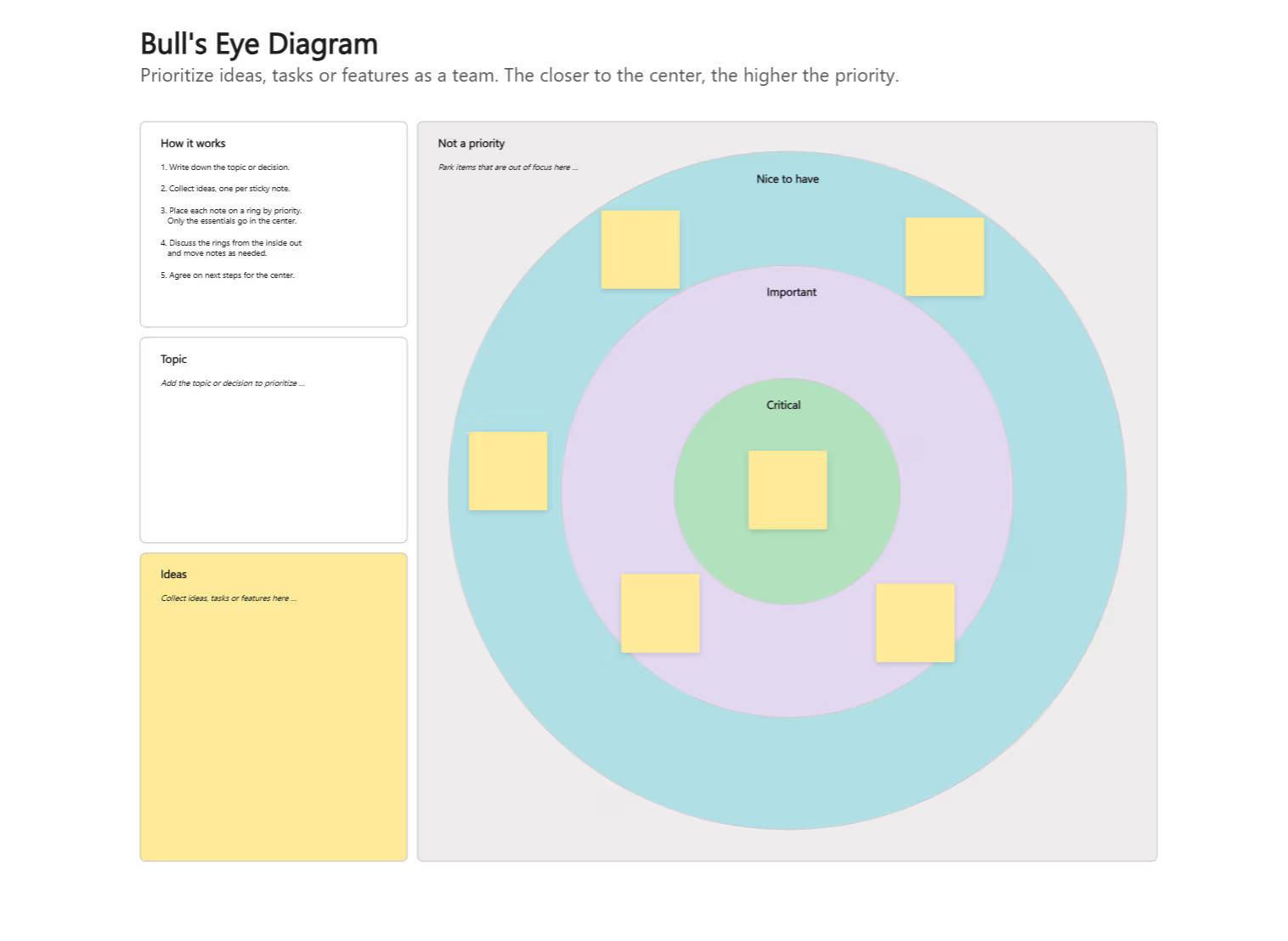
The Collaboard template shows a target with three rings: critical in the green center, important in the purple middle ring and nice to have in the light blue outer ring. The grey area around the target holds items that are not a priority. On the left, a short guide, a field for the topic and a yellow area for collecting ideas help the team get started.
Define the topic
Write the topic or decision you want to prioritize in the Topic field.
Collect ideas
Everyone adds ideas, tasks or features to the Ideas area, one per sticky note.
Place by priority
Move each note onto a ring: critical in the center, then important, then nice to have. Only the essentials go in the center.
Park the rest
Put notes that are out of focus in the Not a priority area, so they stay visible without competing with the rest.
Discuss from the inside out
Start with the critical circle, then work outward. Move notes when the team agrees they belong in a different ring.
Agree on next steps
Turn the critical items into concrete next steps and note who takes care of them.
What is a bulls eye diagram?
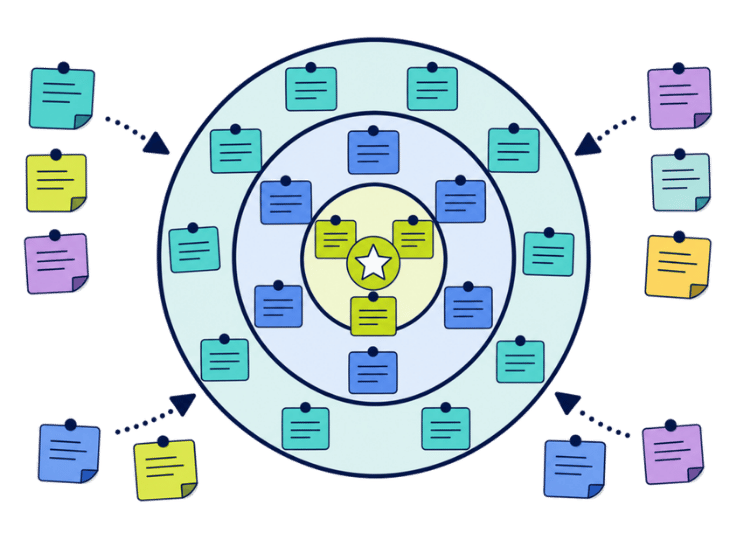
A bulls eye diagram, also called a bullseye or target diagram, prioritizes items with rings instead of a grid. What matters most goes into the center, less important items into the outer rings. Because there is only one scale, it's quick to use and easy for everyone to understand.
The rings of the template
The examples follow one illustrative scenario: a team planning its annual offsite.
- Critical (center) The few items that matter most. Example: a clear agenda and the right participants.
- Important (middle ring) Important, but not decisive. Example: the venue and the catering.
- Nice to have (outer ring) Good to have if there is time and budget. Example: team merchandise.
- Not a priority (outside the rings) Ideas that are out of focus for now. Example: a second offsite day.
If you need to weigh two criteria at once, the priority matrix adds a second axis.
Where the bulls eye diagram fits
- Defining project scope Separate core requirements from nice-to-haves.
- Event planning Decide what really matters for a workshop or an offsite.
- Stakeholder focus Place stakeholders by how closely they need to be involved.
- Quick prioritization When a 2x2 matrix feels like too much.
Why the center should stay small
- Keep the center small Three to five items in the critical circle are enough. A full center means nothing is a priority.
- Park instead of deleting Moving an idea to Not a priority keeps it visible without diluting the center.
- Timebox each ring A few minutes per ring keep the discussion focused.
- Start from the center Discuss the critical circle first. That's where disagreements matter most.
Why Collaboard
A Swiss-made online whiteboard for teams that care where their data lives.
Your data stays in Europe
Choose hosting in Switzerland, Germany or the EU, fully GDPR compliant. Or run Collaboard on your own servers.
Invite anyone with a link
Guests join your board for free, right in the browser. Nothing to install, no extra licenses for participants.
Made in Switzerland, with real support
Collaboard is developed in Switzerland. When you need help, you talk to people who know the product.
Frequently asked questions
Is the bulls eye diagram template free?
Yes, the bulls eye diagram template is free to use with a Collaboard account. The free plan includes up to 3 boards and five people per session.
What is a bulls eye diagram used for?
A bulls eye diagram is used to prioritize ideas, tasks or features by placing the most important ones in the center.
How many rings should a bulls eye diagram have?
A bulls eye diagram usually has three rings. The Collaboard template uses critical, important and nice to have, plus an area for items that are not a priority, and you can add or remove rings as needed.
How is a bulls eye diagram different from a priority matrix?
A priority matrix uses two criteria, while a bulls eye diagram uses a single scale from most to least important.
Can a team sort items in a bulls eye diagram together?
Yes, in Collaboard a team can move items in the bulls eye diagram and discuss them in real time.
Start your next whiteboard now
Get a free trial of Collaboard with up to 3 boards and five people per session. All key features are available for you to try out.

